Best Reading Apps for Year 1: 6 Picks Ranked (2026)
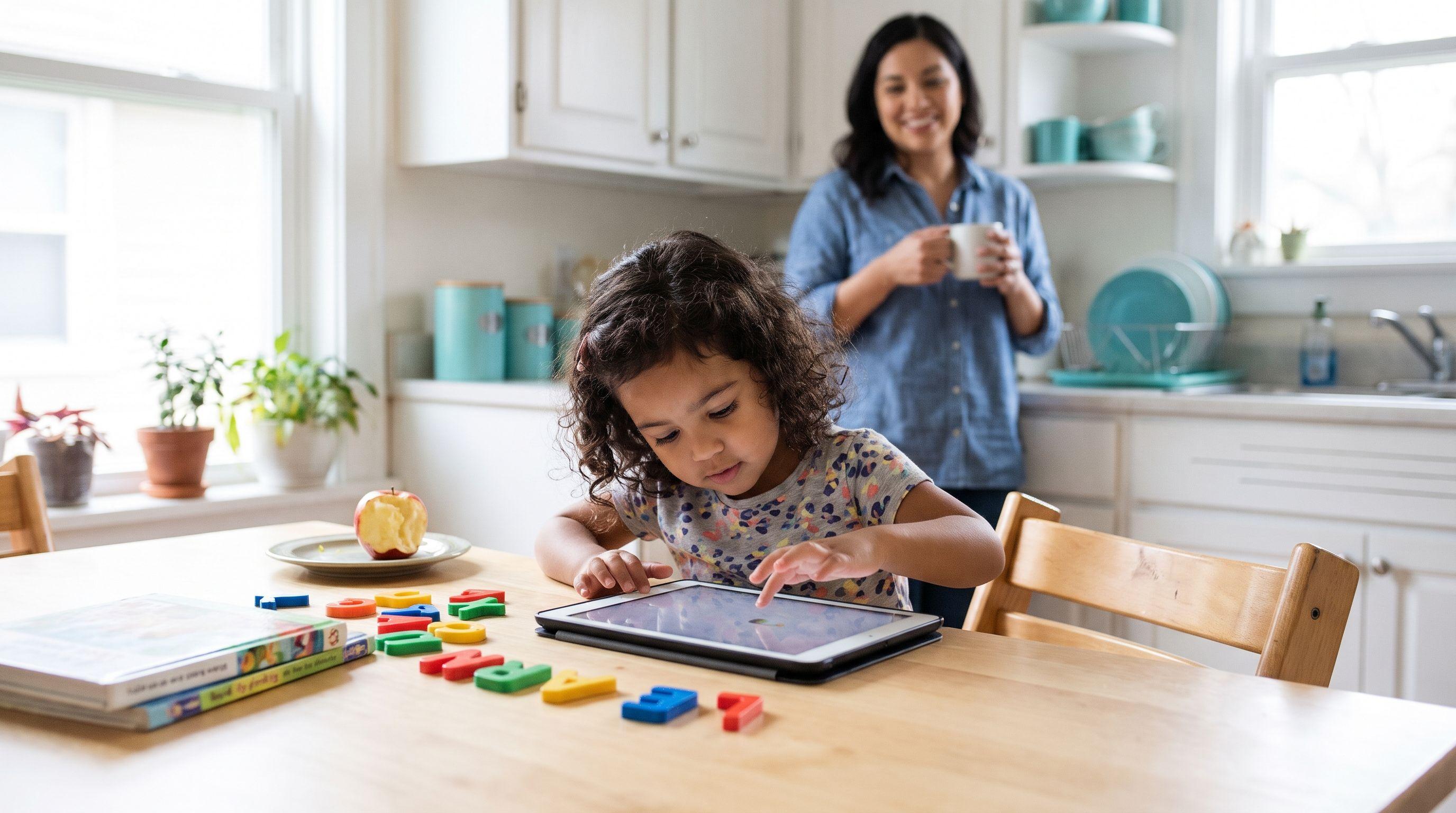
Forty words on a school phonics check can reveal more than a tablet full of completed games.
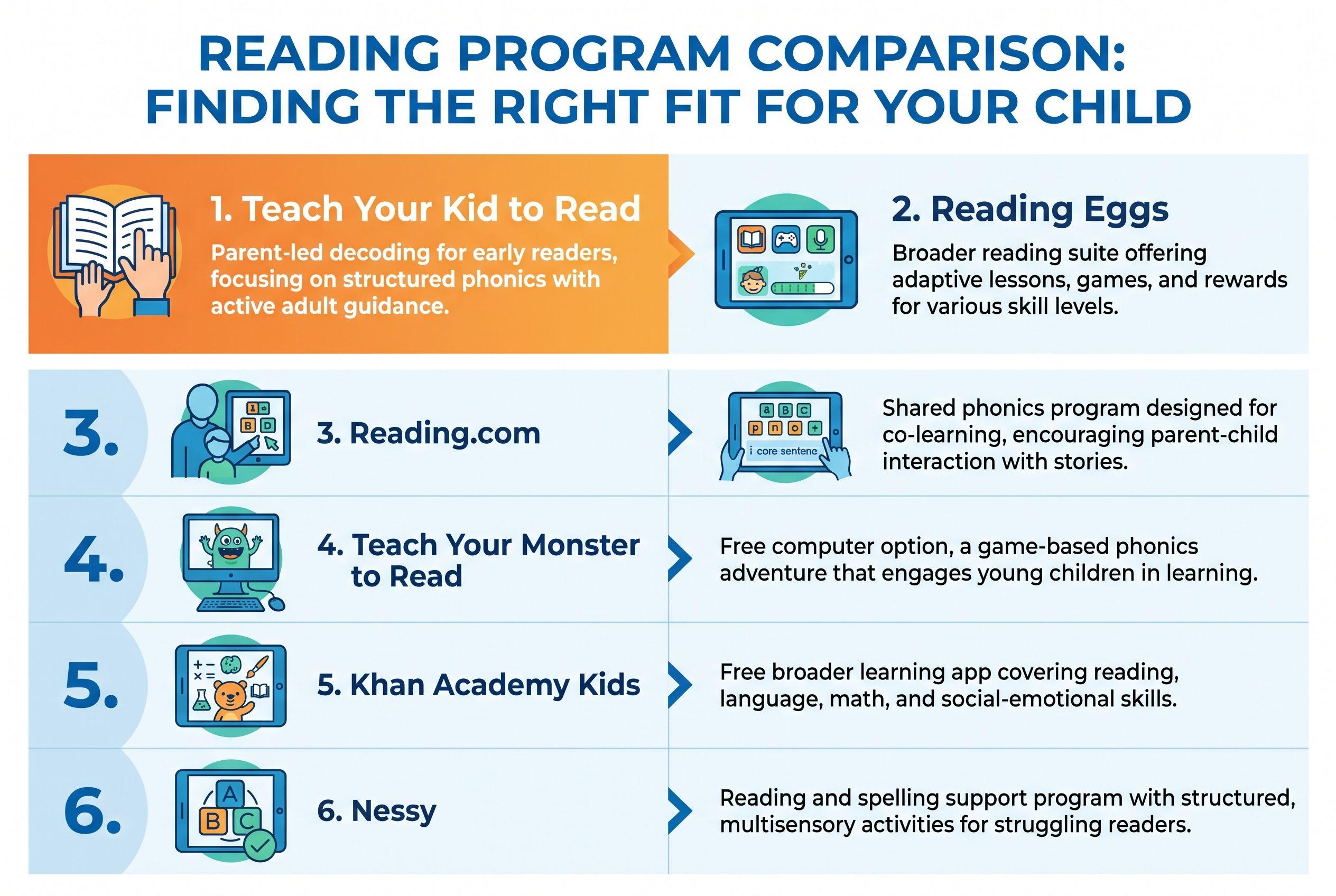
For Year 1 (ages 6–7), I want an app that helps a child read unfamiliar words—not simply recognise yesterday’s screen. These are my Best Reading Apps for Year 1, ranked for Australian families choosing home practice.
What You'll Learn
- Teach Your Kid to Read ranks first for parent-led decoding practice: about 15 minutes together, with a fixed lesson sequence.
- Reading Eggs ranks second for broader choice; Reading.com ranks third for shared phonics lessons. Match the format to the help your child needs.
- Teach Your Monster to Read offers free computer access; Khan Academy Kids offers free broader learning. Nessy makes this list for families considering more targeted literacy support.
- Start with a skill check, not an age badge. Find the first sound pattern your child can't read independently, then choose practice that addresses it.
A game can reward a correct tap without showing whether your child can read the same word on paper. That gap matters. Imagine a child selecting a picture of a ship, then staring at ship when you remove the picture.
I'm Xia Brody, a Chinese-American homeschooling mum of four, aged 10, 7, 4 and 1. I've taught my two oldest to read, and I'm teaching my four-year-old now. My ranking favours visible teaching over busy screens—and no, a cheerful soundtrack doesn't earn extra marks.
The Verdict
How we ranked
- Clear phonics sequence: children need manageable steps rather than random word exposure.
- Reading beyond the screen: practice should support sounding out unfamiliar printed words.
- Adult visibility: parents need to hear mistakes and understand what to practise next.
- Practical home fit: cost, access and adult involvement must suit your household.
| Rank and app | What it teaches or describes itself as offering | Price / pricing model | Best-for age |
|---|---|---|---|
| 1. Teach Your Kid to Read | Step-by-step phonics, blending and short decodable stories from lesson two | Lesson one free; then a 7-day trial and monthly subscription. Full offer below. | My recommendation: Year 1 children learning to decode with an adult |
| 2. Reading Eggs | Describes a reading suite spanning early literacy, phonics and later reading skills | Subscription; 30-day free trial | Stated Reading Eggs ages 3–7; Fast Phonics 5–10 |
| 3. Reading.com | Describes parent-and-child phonics lessons | Monthly or yearly subscription | Stated ages 3–8 |
| 4. Teach Your Monster to Read | Describes a reading game covering letter sounds, blending and early reading | Free on computers; one-time purchase for the app | Stated ages 3–6; my recommendation: check skill fit for older beginners |
| 5. Khan Academy Kids | Describes broader early learning, including literacy | Free; no ads or subscriptions | Stated ages 2–8 |
| 6. Nessy | Describes structured reading and spelling support, including support for dyslexic learners | Subscription; home and school versions | Stated ages 6–11 |
Full disclosure: I co-founded Teach Your Kid to Read, so weigh my #1 pick accordingly; the rest of the ranking is based on the criteria above.
Prices checked October 2026.
I recommend Teach Your Kid to Read for side-by-side phonics practice: start lesson one free. Lesson one is free, with no card and nothing to cancel. From lesson two, the whole program is a 7-day free trial, then $9.95 a month. That quoted offer doesn't specify Australian currency; check the billing currency before subscribing rather than assuming A$.
These are editorial recommendations based on product descriptions and teaching fit, not hands-on competitor testing. The order prioritises a parent who wants to hear their child decode; a family seeking independent activities may choose differently.
The Tiger Truth: Don't Wait for the Check to Find the Gap
The Australian Year 1 Phonics Check contains 40 words: 20 real words and 20 pseudo-words, according to South Australian Department for Education guidance. South Australia made it mandatory in 2018.
Made-up words help show whether a child can apply sound knowledge instead of recalling familiar vocabulary. A result below the expected standard signals a need for teaching support—not a diagnosis or a prediction of failure. Ask which patterns caused trouble and how the school will teach them.
The 2000 report from the US National Reading Panel found benefits from systematic phonics instruction. That supports teaching phonics; it doesn't prove that any particular app works.
Waiting can leave a child tackling harder classroom reading with the same unresolved decoding gaps. Act before the next school year, but don't turn every evening into an examination. Teach the missing skill. Keep the child on your side.
Ranked: Best Reading Apps for Year 1 at Home
1. Teach Your Kid to Read — Best for Parent-Led Decoding
This takes my first spot because the adult has an actual teaching role. The parent sits alongside, hears the child's reading and learns what to listen for and how to correct mistakes. That's the home setup I favour: fewer mysteries about what happened during “reading time”.
The program follows 50 lessons in a fixed order. It moves from single letter sounds through digraphs such as sh, ch and th, then blends, vowel teams and silent e, reaching prefixes and suffixes. It also teaches a small set of common irregular words by sight, calling them “leap words”.
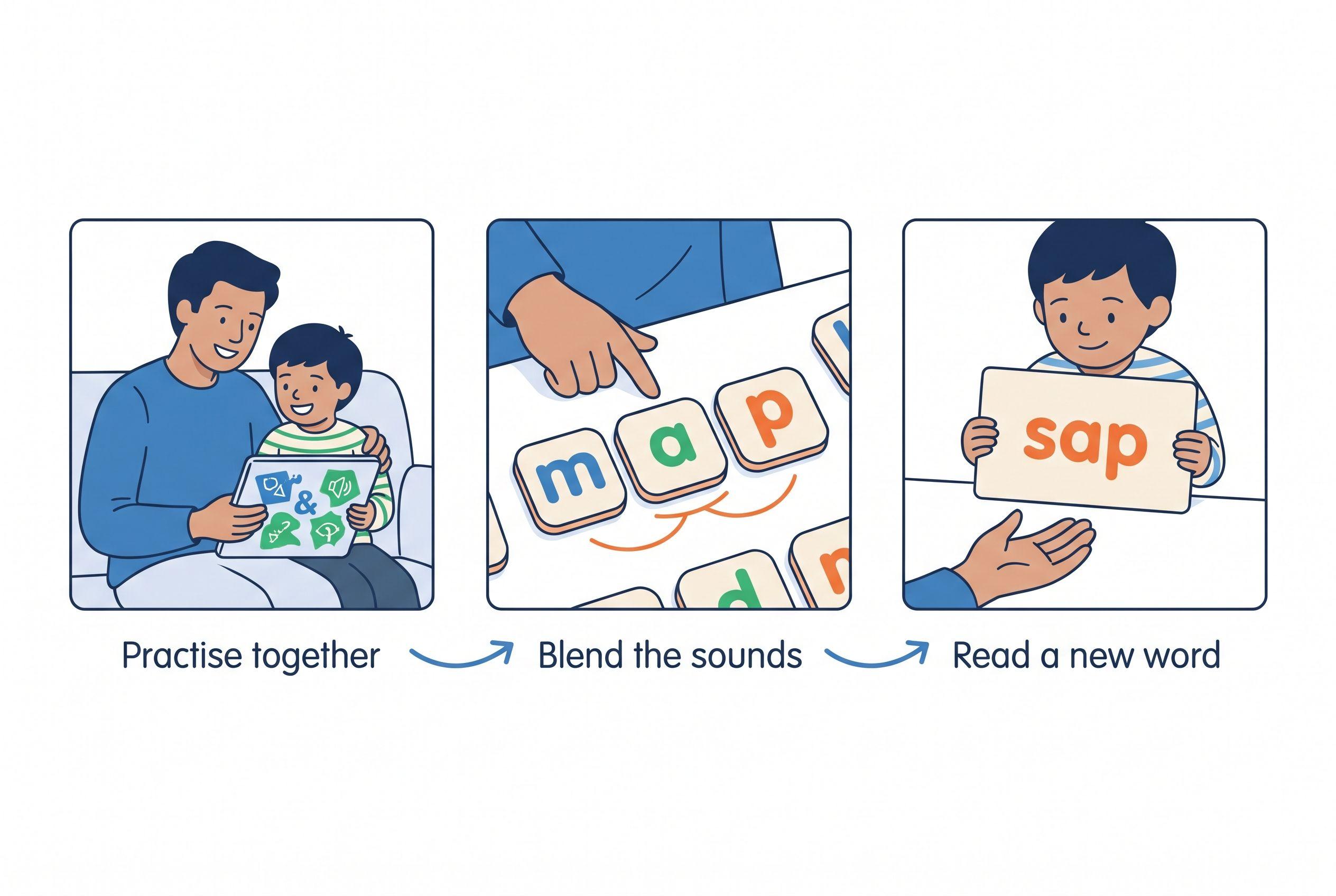
Lesson one introduces m, s, p and short a. Children hear each sound, tap the matching letter, then blend and build am, map and sap. There's no story in that first lesson; from lesson two, each lesson includes a short story built from previously taught sounds.
That sequence earns its place against my first two criteria: clear steps and real-word reading. For adult visibility, the parent does the listening rather than outsourcing judgement to a completion tick.
Plan on about 15 minutes a day together. Access includes iPhone/iPad, Android and the web, and several children can share one account. Parents can see every lesson and jump to one that fits their child's current learning.
The limitation: there's no speech recognition—the app doesn't listen or correct pronunciation. Choose something else if you need the app itself to judge spoken reading or want your child to work alone.
My verdict: a strong fit for a Year 1 beginner whose parent wants a defined teaching job. It teaches phonics and decoding; keep reading aloud and discussing books alongside it.
2. Reading Eggs — Best for a Broader Reading Suite
Reading Eggs offers several strands rather than one narrow starting point. Its stated ranges include Reading Eggs for ages 3–7, Fast Phonics for ages 5–10 and Eggspress for ages 7–13.
For an Australian parent comparing reading apps for Year 1, that breadth can help—or create another decision. Choose the strand that addresses the gap. A child who struggles to blend needs decoding practice, not merely more advanced-looking activities.
Against the phonics-sequence criterion, I'd examine Fast Phonics first. Against adult visibility, I'd still ask the child to read a few unfamiliar printed words after a session. An attractive activity isn't evidence of transfer by itself.
My verdict: second for families wanting broader reading options within one subscription. Keep the daily target narrow enough that you can explain what your child practised.
3. Reading.com — Best Alternative for Shared Phonics Lessons
Reading.com describes a parent-and-child approach to phonics and states an age range of 3–8. That shared format makes it a relevant comparison for parents who want involvement rather than a digital babysitter.
Its stated focus fits my sequence and adult-visibility criteria. Before committing, examine how the lessons introduce sounds and what the adult does when a child gets stuck. You want a useful correction routine, not just an instruction to try again.
Practical fit matters here: it uses a monthly or yearly subscription. Compare the shared lesson format with your actual evenings, not the imaginary peaceful household that appears in subscription advertising. Mine has a one-year-old.
My verdict: a close alternative for parent-led phonics. Choose by the lesson guidance you find clearest and your child's current decoding needs, rather than assuming two phonics products teach identically.
4. Teach Your Monster to Read — Best Free Computer Option
Teach Your Monster to Read describes game-based practice involving letter sounds, blending and early reading. Computer access costs nothing; the mobile app requires a one-time purchase.
Its stated app age range is 3–6. I'd consider it for a Year 1 child who still needs those beginning skills, but I wouldn't treat that recommendation as a published age claim for older children.
The appeal is practical: you can explore the computer version without another subscription. The caution follows my adult-visibility criterion. Sit nearby initially, listen to the sounds your child says and check whether the same learning carries over to paper.
My verdict: useful for budget-conscious families seeking playful beginning-reading practice. Choose by skill level, and don't let winning the game become the only goal.
5. Khan Academy Kids — Best Free Broader-Learning Option
Khan Academy Kids states ages 2–8 and offers free access without ads or subscriptions. It describes a broader early-learning experience that includes literacy, rather than a phonics-only program.
That makes it attractive for families who want more than reading in one place. It also puts more responsibility on the adult to keep reading practice focused. “Educational” covers a lot of territory; your child may need a very specific vowel pattern.
On practical access, it ranks strongly. On targeted decoding, I'd choose activities deliberately and follow them with a brief printed-word check. Its broad scope explains why it sits below the more focused options here.
My verdict: a sensible free supplement. I wouldn't let a broad activity menu replace direct teaching when a child consistently guesses unfamiliar words.
6. Nessy — Best to Consider for Reading and Spelling Support
Nessy states ages 6–11 and describes reading and spelling support that includes dyslexic learners. That makes it relevant when a Year 1 child needs more than casual extra practice.
For my sequence criterion, examine the particular Nessy program you're considering rather than treating the brand name as a single lesson format. For adult visibility, ask how you and the teacher will identify the next teaching target.
A home subscription doesn't diagnose dyslexia or replace individual assessment. If your child keeps struggling despite clear teaching, involve the school and discuss appropriate specialist support. Don't spend months rotating apps while nobody investigates the difficulty.
My verdict: worth considering alongside a support plan for persistent reading and spelling difficulties. Sixth reflects this ranking's everyday parent-led starting point, not a judgement that children needing intervention matter less.
Match the App to the Skill, Not Just the Birthday
The best reading apps for 6 year olds aren't automatically the best fit for every six-year-old. One child needs to hear the sounds in map. Another reads it easily but stalls at shop.
Linnea Ehri's 2005 review, Learning to Read Words: Theory, Findings, and Issues, explains how connections between letters and sounds support accurate word recognition. Orthographic mapping isn't memorising a word's outline. Children connect spelling with pronunciation and meaning.
Ask your child's teacher which sound patterns the class has covered. If the school uses InitiaLit, request the current focus and suitable decodable readers. Home practice should strengthen that learning, not introduce five competing explanations at once.
For a starting point, use our free reading-level-by-age check. Then consult what to expect at age 6 for context, remembering that an age guide isn't an individual diagnosis.
My tiger rule is “No Guessing”: look at the letters and work through the sounds. Pictures and context help children discuss meaning; they shouldn't replace reading the printed word. There's a difference between understanding a story and guessing what's on the page.
Your Action Step: Choose One App and One Target
- Find the first gap. Use our free phonics skill check to check real and made-up words. Record the first pattern your child can't read reliably—not simply the final result.
- Check with school. Ask which sounds need practice and whether the Year 1 Phonics Check identified a concern. Request the teaching plan, not just reassurance.
- Choose the matching format. Pick shared phonics teaching for a decoding gap, broader activities for additional practice or targeted support alongside intervention.
- Teach a small amount. Model the sound, have your child say it, then blend a word containing it. For Teach Your Kid to Read, allow about 15 minutes together.
- Check away from the screen. Write a new word using sounds already taught. Ask your child to sound it out without a picture. Note the exact error so tomorrow's practice has a purpose.
- Review the fit. Keep the app if it helps you teach the missing skill. If difficulty persists, seek more support rather than endlessly switching subscriptions.
Start with the first lesson and listen closely to how your child blends.
My “We Never Skip” rule means keeping a dependable routine, not forcing a full lesson through illness or distress. On a busy day, a brief sound review may make more sense than a battle. Consistency matters; so does a child who'll come back tomorrow.
If you're already thinking about next year's demands, read Year 2 Reading Level Australia: Signs + Next Steps. For other age groups, the Best Reading Apps hub offers a wider comparison.
Choose the app that gives your child the right next step—and gives you a clear role in teaching it. If that's side-by-side decoding, lesson one is free.
FAQ
What are the best reading apps for Year 1 in Australia?
My ranking puts Teach Your Kid to Read first for parent-led decoding, followed by Reading Eggs, Reading.com, Teach Your Monster to Read, Khan Academy Kids and Nessy. The right choice depends on the child's missing skills and how much adult involvement the family wants.
Which Year 1 reading apps offer free access?
Khan Academy Kids offers free access without ads or subscriptions. Teach Your Monster to Read offers free computer access, while its mobile app requires payment. Teach Your Kid to Read offers lesson one free; later lessons involve a trial followed by a subscription.
Can an app prepare my child for the Year 1 Phonics Check?
An app can support sound knowledge and blending, which the check assesses. Focus on applying taught sounds to unfamiliar words, including made-up words, rather than memorising a practice list. Ask the teacher which patterns need attention.
Should I sit with my child during reading-app practice?
For Teach Your Kid to Read, yes: every lesson assumes an adult alongside. With other apps, watch initially and listen regularly. Check independent reading away from the screen before assuming that completed activities mean secure decoding.
What if my child still guesses after regular practice?
Identify the exact sounds or patterns causing trouble and ask the teacher for targeted support. Persistent difficulty deserves investigation, not another stretch of waiting. Apps can supplement teaching, but they don't diagnose reading difficulties or replace individual intervention.
From teachyourkidtoread.org/blog/best-reading-apps-for-year-1-6-picks-ranked-2026
Part of these guides

Xia Brody
Co-Founder, Teach Your Kid to Read
Mom of 4 who has successfully taught her kids to read. Currently in the trenches with her 4-year-old while her two oldest (10 and 7) devour books on their own. Passionate about phonics-based methods and building a lifelong love of reading.
Related Articles

6 Best Science of Reading Apps for 7-Year-Olds, Ranked
My first pick favors parent-led phonics, but that isn't every family's best fit. Compare six apps by teaching approach, adult involvement and cost—then choose around the reading skill your child actually needs.
Read More →
6 Best Reading Apps for 7-Year-Olds with Speech Delay, Ranked
A pronunciation error doesn't automatically mean a reading error. Here are six reading apps ranked for phonics practice with a speech-delayed seven-year-old, with clear limits on what each can offer.
Read More →
6 Best Reading Apps for 6-Year-Olds with Dyslexia and ADHD, Ranked
My first pick is parent-led phonics, not an app that keeps a child busy. Compare six options by teaching approach, adult involvement and price—and see when your child needs more than an app.
Read More →