Reading Apps for 5-Year-Olds: 6 Skill-Level Picks

What You'll Learn
- The one mistake parents make when a reading app gets “fun” but doesn’t teach reading
- How to match reading apps for 5-year-olds to your child’s actual skill level
- Which app features scream “phonics-first” and which ones scream “run away”
- A simple 10-minute daily plan so your 5-year-old practices decoding without turning into an iPad goblin
Reality Check: Cute Apps Don’t Mean Your Kid Is Learning to Read
Your 5-year-old can tap balloons, feed a cartoon monster, and earn fake coins for 20 minutes.
That doesn’t mean they can read.
I know. I’m a homeschooling mom of four, and I’ve seen plenty of “educational” apps that mostly train fast fingers and snack-level dopamine. My 4-year-old was at the kitchen table last Tuesday doing CVC words with me — mat, sit, fog — and she tried to guess “fish” from a picture before even looking at the letters.
Nope.
Tiger Rule: Unknown word? Eyes on the letters. Sound it out — don’t guess.
And yes, if your child reads a familiar word instantly and accurately, beautiful. That’s the goal. But unknown words? We don’t vibe-check the picture and hope. We look at the print.
Reading apps for 5-year-olds can help, but only if they teach the real foundation: letter sounds, blending sounds practice, phonemic awareness, decoding, and controlled text. If an app encourages your child to guess from pictures, memorize whole words without sound work, or swipe through stories they can’t decode, it’s not a reading app. It’s a distraction wearing alphabet pajamas.
Sound familiar?
Tiger Truth: If Your 5-Year-Old Doesn’t Build Decoding Now, the Gap Gets Ugly
Look, I’m not here to scare you for sport. I’m here because the numbers are brutal.
In the US, only 33% of 4th graders (ages 9-10) scored proficient in reading on the 2022 NAEP / The Nation's Report Card. That means two-thirds didn’t hit proficiency. Two-thirds. I wish I was kidding.
Donald Hernandez’s 2011 Double Jeopardy report, published by the Annie E. Casey Foundation, found that kids who don’t read proficiently by 3rd grade (ages 8-9) are four times more likely to leave high school without graduating. That’s an association across groups of children, not a fortune cookie predicting your individual 5-year-old’s future. If your child isn’t decoding yet at five, don’t panic.
But don’t nap through it either.
The 3rd Grade Cliff is real, and it doesn’t care how adorable your child’s tablet game looks.
And when schools finally notice a child can’t decode? Parents often hear, “Let’s wait and see.”
Absolutely not.
Wait and see is how small reading gaps become expensive, confidence-crushing messes. Remedial reading support can cost families US$10,000-US$15,000 a year in private tutoring or programs, depending on location and intensity. Insurance usually doesn’t cover it. Schools may offer support, but many children sit on waiting lists while the clock keeps ticking.
I’m blunt because I’ve seen the other side: kids who start calling themselves “dumb” at age 6 because adults gave them leveled readers and told them to look at the picture. That one drives me crazy.
The National Reading Panel report from 2000 — the one a US Congress commissioned — found that systematic phonics instruction produces significant benefits, especially for young readers and struggling readers. Stanislas Dehaene’s Reading in the Brain (2009) explains why: the brain doesn’t naturally read. We train it to connect speech sounds to print.
So no, your child won’t “just pick it up” because they love books.
You have to teach the code.
What Makes a Good Reading App for a 5-Year-Old?
The best reading app for 5 year old learners doesn’t start with “fun.” It starts with skill.
Fun can come along for the ride. Fine. I’m not anti-fun. I’m anti-fake learning.
A strong phonics app for 5 year old kids should teach:
- Phonological awareness: hearing words, syllables, rhymes, and sound parts
- Phonemic awareness: hearing individual sounds in words, like /m/ /a/ /t/
- Grapheme-phoneme correspondence: connecting letters to sounds
- Blending: pushing sounds together to read a word
- Segmenting: pulling words apart for spelling
- Decodable reading: reading words using phonics patterns already taught
The app should avoid:
- Picture guessing
- “Read the room” strategies
- Three-cueing prompts like “Does it look right? sound right? make sense?”
- Random sight word drilling with no sound mapping
- Leveled readers that include patterns your child hasn’t learned
After Emily Hanford’s 2023 APM Reports / "Sold a Story" came out, my neighbor — a first-grade teacher for 18 years — called me almost in tears. She’d used Lucy Calkins’ Units of Study her whole career. Three-cueing, MSV, the whole thing. She told me, “I’ve been teaching kids to guess for two decades and I didn’t even know it.”
She switched her classroom to UFLI Foundations mid-year. Total chaos at first. She had to relearn the routines, the sound drills, the blending lines — all of it. But by spring, her kids’ DIBELS nonsense word fluency scores had jumped an average of 15 points. She told me it was the first time in her career that every single child in her class could decode CVC words by February.
That’s what happens when you stop guessing and start teaching the code.
Apps need to do the same thing.
Reading Apps for 5-Year-Olds: 6 Picks by Skill Level
Here’s my no-nonsense breakdown. I’m ranking these by skill level, not by cuteness, because your child’s brain doesn’t need more confetti. It needs mastery.
1. Teach Your Kid to Read — Best for Parent-Led Phonics Practice
If your child knows some letters but still guesses at words, start here.
Teach Your Kid to Read is built for parents who want a clear, phonics-first path without needing a graduate degree in reading science. It walks you through systematic synthetic phonics: letter sounds, blending, decoding, review, and daily practice. This is the learn to read app for 5 year old kids I wish more families had before school tells them, “Maybe they’ll catch up.”
No. We don’t gamble with reading.
What I like:
- Short daily lessons parents can actually finish
- Clear phonics sequence
- Blending sounds practice that doesn’t rely on guessing
- Parent involvement instead of screen babysitting
- Works well for kindergarten (age 5) and early first grade (ages 6-7)
Best for:
- Kids who know letter names but not sounds
- Kids who can sound out letters but can’t blend yet
- Parents who want structure without fluff
My tiger mom note: Sit with your child. Don’t hand over the tablet and disappear. Five-year-olds need feedback. If they read “sat” as “sit,” stop right there. Tap the letters. Say the sounds. Blend again.
2. Teach Your Monster to Read — Best for Letter Sounds and Early Blending
Teach Your Monster to Read is a strong pick for beginners who need letter sounds and simple blending. It feels game-like, which can help reluctant kids get started, but parents still need to check that the child says the sounds out loud.
Silent tapping doesn’t count.
What it does well:
- Introduces letter-sound matches
- Gives practice with early CVC words
- Keeps kids engaged without going totally off the rails
Best for:
- Pre-readers
- Kids who know fewer than 20 letter sounds
- Families needing a gentle entry point
Watch for this: Some kids memorize the game path instead of reading. If your child wins but can’t read “map” on a whiteboard afterward, the app entertained them. It didn’t teach mastery.
3. Reading.com — Best for Structured Parent-Child Lessons
Reading.com gives parents guided lessons with a clear sequence, which I love because parents often ask, “What do I do next?” That question matters. Random practice creates random results.
A good kindergarten reading app should tell you exactly what to teach today, what to review, and when to move on. Reading.com does a nice job keeping the parent involved instead of turning the screen into a babysitter.
Best for:
- Families who want scripted support
- Kids who need daily routine
- Parents who feel nervous teaching phonics
Use it this way:
- Do one lesson daily
- Keep lessons short: 10-15 minutes
- Add 3 minutes of paper-and-pencil spelling after the app
- Use decodable books after the lesson, not predictable leveled readers
Bottom line: Apps help, but pencil work matters. When a child writes “mop,” they strengthen sound-symbol mapping in a different way than tapping a screen.
4. Nessy Reading and Spelling — Best for Dyslexia Indicators or Extra Practice
Nessy works well for kids who need more repetition, especially children with dyslexia indicators. It uses a structured literacy approach, and it’s more serious than many bright, noisy apps pretending to teach reading.
If your 5-year-old reverses letters, take a breath. Reversals can be totally common in beginning writers. By themselves, they don’t mean dyslexia.
But if your child persistently struggles to learn sound-symbol relationships, can’t remember letter sounds, can’t rhyme, melts down during blending, or has a family history of dyslexia, don’t panic — but don’t wait either.
Screening tools like the PAST, David Kilpatrick’s Phonological Awareness Screening Test, can help pinpoint sound-level gaps, but it’s a phonological awareness screener, not a dyslexia diagnosis. Use the administration instructions carefully, and if you’re worried, get help interpreting results from a qualified reading specialist, school psychologist, or evaluator. DIBELS also gives useful early literacy benchmarks in many US schools, including nonsense word fluency.
Best for:
- Kids who need lots of review
- Children with family history of dyslexia
- Parents who want reading and spelling connected
This can pair well with Orton-Gillingham tutoring or programs like Barton Reading & Spelling, Wilson Reading System, or Logic of English if your child needs more direct support. Check age ranges and prerequisites before jumping in, because not every program fits every 5-year-old. Tiny humans are not plug-and-play appliances.
5. Lalilo — Best for Classroom-Style Adaptive Practice
Lalilo gives adaptive practice in phonics, word recognition, and comprehension. Many teachers use it because it gives data and keeps children moving through skills.
For home use, I’d treat it as extra practice — not the whole reading plan.
Best for:
- Kids already in kindergarten (age 5)
- Families wanting independent review after a parent lesson
- Children who benefit from a classroom-style interface
My rule: If an app adapts, you still inspect. Sit nearby. Listen. Ask your child to read words aloud. If they’re guessing, pause the app and fix the habit immediately.
Because guessing becomes a reflex fast.
6. Starfall Learn to Read — Best for Light Review, Not Full Instruction
Starfall has been around forever, and many kids enjoy it. It can support letter sounds and early word patterns, especially for quick review.
But I wouldn’t use it as my only phonics app for 5 year old readers.
Best for:
- Extra review
- Kids who need more exposure to short vowels
- Families who want a low-pressure practice option
The kicker is that some children can click through Starfall activities while barely decoding. So use it after a real lesson, not instead of one.
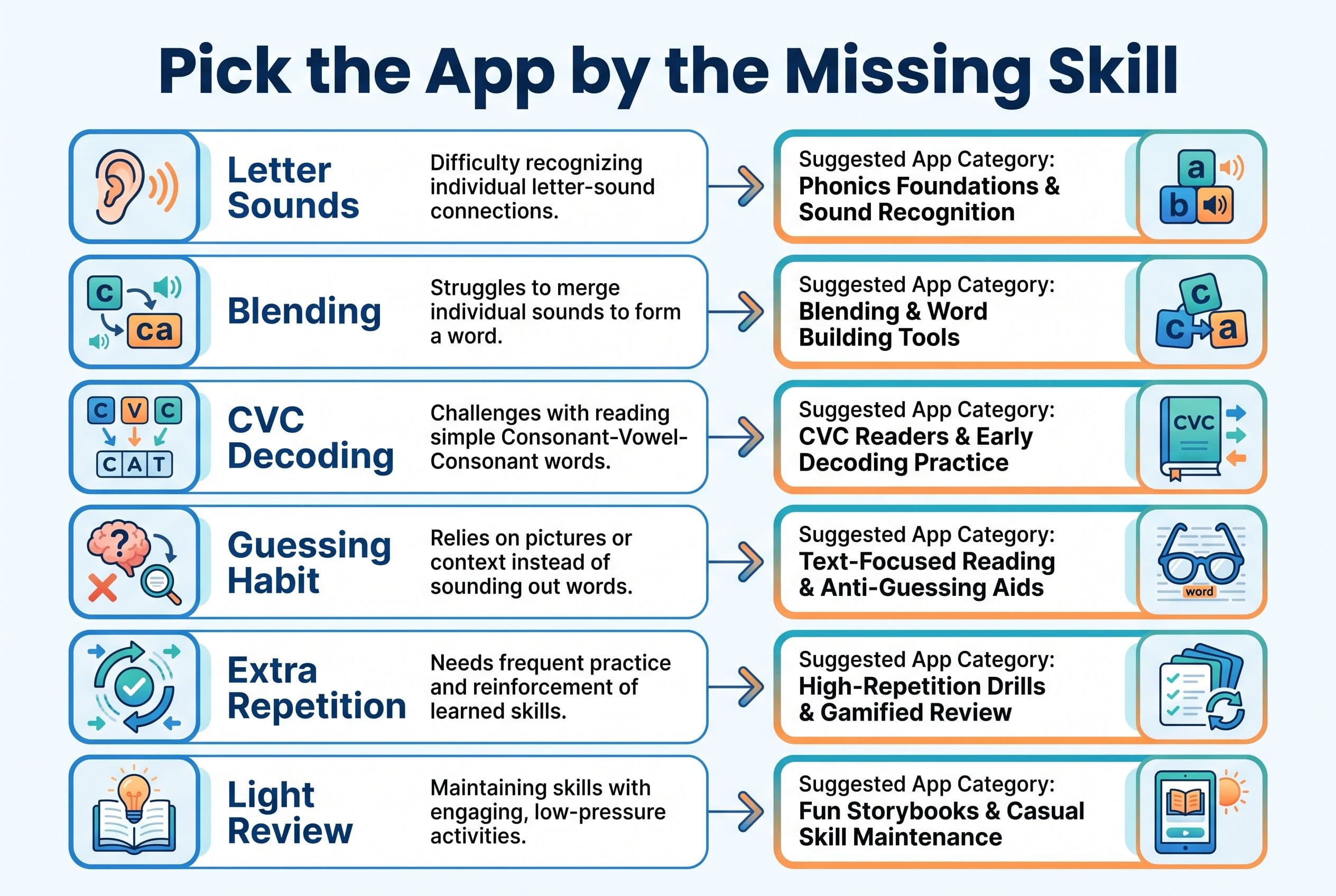
Skill-Level Match: Which App Should You Choose?
Don’t ask, “What’s the best reading app?”
Ask, “What skill is my child missing?”
If your child doesn’t know letter sounds
Pick: Teach Your Kid to Read, Teach Your Monster to Read, or Starfall
Goal: Build accurate, quick letter-sound knowledge while you also begin simple blending with the sounds your child already knows. Your child doesn’t need to pass some magic speed test before touching words. That’s not how this works.
Benchmarks vary by assessment, school, grade, and testing window. DIBELS/Acadience nonsense word fluency, for example, measures sounds produced in nonsense words, not just isolated flashcard letter sounds. Use school benchmark data as a rough progress indicator, not as a locked gate that says, “No blending until further notice.”
Tiger translation: track accuracy, notice growth, and keep teaching.
If your child knows sounds but can’t blend
Pick: Teach Your Kid to Read or Reading.com
Practice words like:
- sat
- map
- lip
- fog
- sun
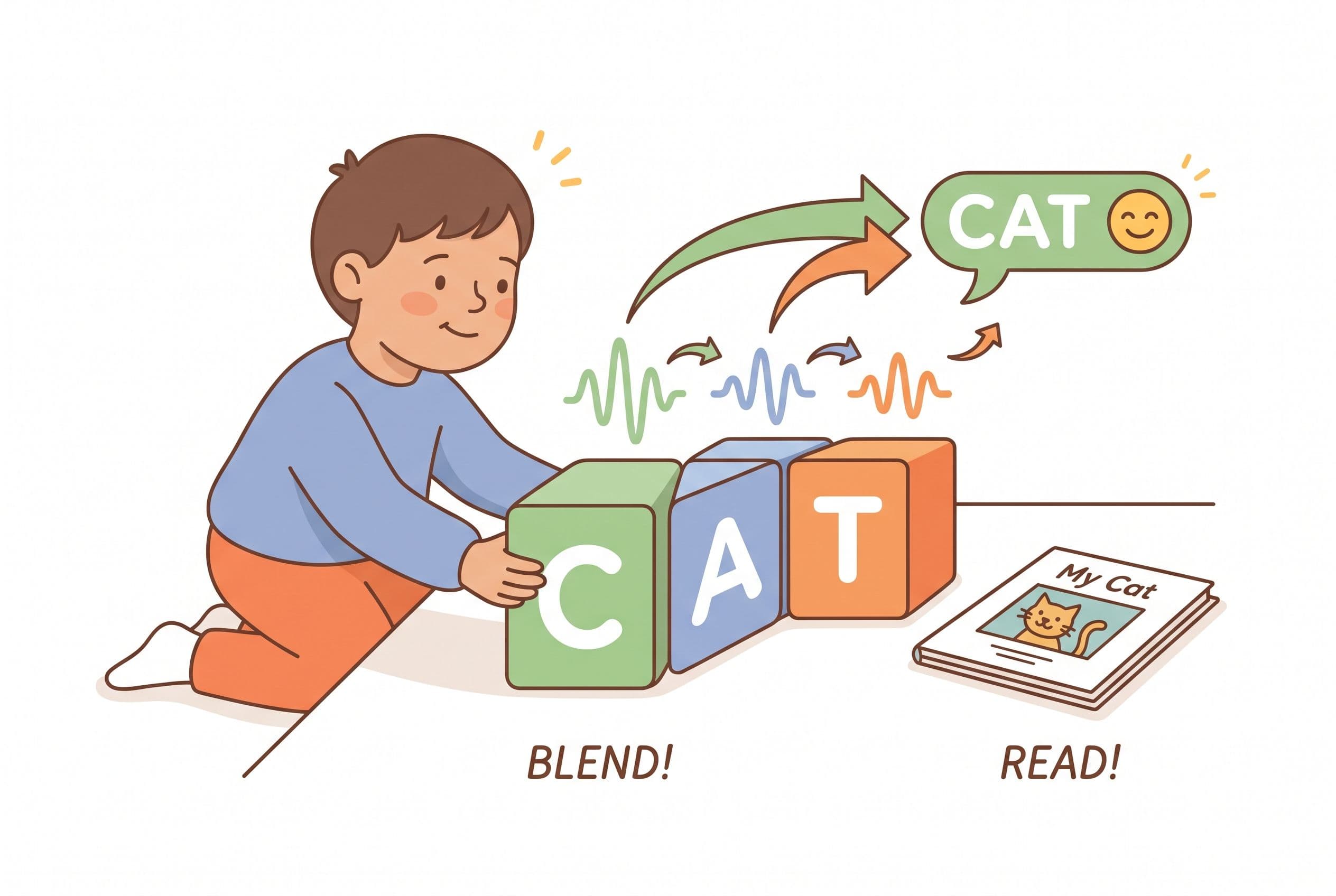
Do this orally first. Say /s/ /a/ /t/. Then blend: sat. Then show the letters.
That order helps children connect speech sounds to print. Linnea Ehri’s 2005 work on phases of word reading development explains how children move from partial alphabetic guessing into full alphabetic reading. Translation for tired parents: they need to map every sound to letters, not memorize word shapes.
If your child guesses from pictures
Pick: Teach Your Kid to Read, and sit right next to them.
Say this script:
- “Eyes on the letters.”
- “Say each sound.”
- “Blend it.”
- “Check the word.”
Do not say, “Look at the picture.”
Ever.
If your child struggles despite daily practice
Pick: Nessy, and consider screening.
Use the PAST by Kilpatrick as a phonological awareness screener, ask your school about DIBELS or AIMSweb data, or talk with a qualified reading specialist. If dyslexia runs in your family, move faster. The International Dyslexia Association has parent-friendly information about structured literacy and dyslexia signs.
My 10-Minute App Routine for a 5-Year-Old
Here’s the routine I’d use if you texted me in panic mode and said, “Xia, my kid starts school soon and still can’t read CVC words.”
Deep breath.
Then do this.
Step 1: Two minutes of sound drill
Use flashcards or an app screen.
Ask for sounds, not letter names:
- m says /m/
- s says /s/
- a says /a/
- t says /t/
If your child says “muh” for /m/, clean it up. Keep sounds clipped. No extra vowel at the end. This matters more than parents realize.
Step 2: Three minutes of blending
Use 5-8 CVC words.
Tap each sound:
- /m/ /a/ /t/
- blend: mat
Then ask, “What word?”
If they guess, cover any picture. Bring them back to the letters. No drama. No lecture. Just correction.
Step 3: Three minutes in the app
Use your chosen reading app for 5-year-olds.
Stay close. Listen for actual decoding. If the app lets your child tap without saying sounds, make them say the sounds anyway.
Yes, really.
Step 4: Two minutes of spelling
Dictate 3 words and 1 short sentence.
Example:
- sat
- map
- Tim
- Tim sat.
Spelling exposes weak spots fast. If your child can read “map” but writes “mp,” don’t instantly assume one cause. Check it. Ask them to say the word slowly, tap the sounds, tell you the middle sound, and choose the letter for that sound. Maybe they didn’t hear the vowel. Maybe they knew it but forgot to write it. Maybe handwriting ate their brain for a second. That tells you what to practice tomorrow.
Red Flags in Reading Apps for 5-Year-Olds
Some apps look polished and still teach terrible habits. Hands down, these are my deal-breakers.
Avoid apps that:
- Tell kids to guess from pictures
- Use predictable text like “I see the ___” before decoding skills are ready
- Reward speed over accuracy
- Teach sight words as visual memorization only
- Skip sound work and jump into stories
- Use leveled readers aligned with Fountas & Pinnell-style guessing
Fountas & Pinnell levels are everywhere, but they grew from a whole-language aligned system. I’d rather see decodable readers from Flyleaf Publishing, High Noon Books, Bob Books, or controlled readers matched to your child’s phonics lesson.
Real talk — if your child can’t decode the words on the page, the book is too hard.
What About Screen Time?
I’m not anti-screen. I’m anti-lazy screen.
The American Academy of Pediatrics / HealthyChildren encourages families to create healthy media habits, and I agree. A reading app can serve a purpose when you use it like a tool, not a pacifier.
My house rule:
Reading app time happens with a parent nearby, out loud, for 10-15 minutes max.
Then we close the screen and read a real decodable book.
Independence comes after skill. Not before.
The App Is the Solution — But You’re Still the Teacher
Teach Your Kid to Read gives you the structure most parents desperately need: what to teach, how to practice, and how to stop guessing before it becomes a habit.
It lines up with the reading science behind systematic synthetic phonics and structured literacy. Think Orton-Gillingham principles: explicit teaching, cumulative review, sound-symbol mapping, and lots of practice. No mystery. No “maybe they’ll absorb it.” Just clear instruction.
Use the app daily.
We Never Skip.
Birthdays? Five minutes.
Vacation? Five minutes.
Christmas morning? Fine, I’m not a monster — do it after pancakes.
But don’t disappear for three weeks and act shocked when your child forgets short vowels. Five-year-olds need repetition. The brain builds reading through consistent practice.
FAQ: Reading Apps for 5-Year-Olds
What is the best reading app for 5 year old beginners?
For parent-led phonics, I’d start with Teach Your Kid to Read. If your child needs playful letter sound review, Teach Your Monster to Read can help too. The best choice depends on whether your child needs letter sounds, blending, or full decoding practice.
Should my 5-year-old use a reading app alone?
No, not at first. Sit nearby and listen. A 5-year-old can look busy while guessing every word. Make them say sounds out loud, blend carefully, and read decodable words with accuracy.
How long should a 5-year-old use a phonics app each day?
Aim for 10-15 minutes daily. Add 2-5 minutes of spelling or decodable book reading after the app. Short daily drill beats one long weekend session every time.
What if my child knows letter sounds but can’t blend words?
Practice oral blending first, then connect sounds to letters. Use simple CVC words like sat, map, lip, and sun. If blending stays hard after consistent practice, screen phonological awareness with a tool like Kilpatrick’s PAST or ask your school about DIBELS data.
Are kindergarten reading apps enough to teach reading?
Usually, no. A kindergarten reading app can support instruction, but a child still needs direct teaching, correction, review, and real decodable reading. The app is the tool. You’re the coach.
Your Next Step
Pick one app based on your child’s missing skill. Don’t download six and hope chaos turns into reading.
Start with Teach Your Kid to Read if you want a clear phonics-first plan you can use today. Then practice daily, listen closely, and shut down guessing the second it appears.
Reading is a survival skill.
We teach it like one.
Part of these guides

Xia Brody
Co-Founder, Teach Your Kid to Read
Mom of 4 who has successfully taught her kids to read. Currently in the trenches with her 4-year-old while her two oldest (10 and 7) devour books on their own. Passionate about phonics-based methods and building a lifelong love of reading.
Related Articles
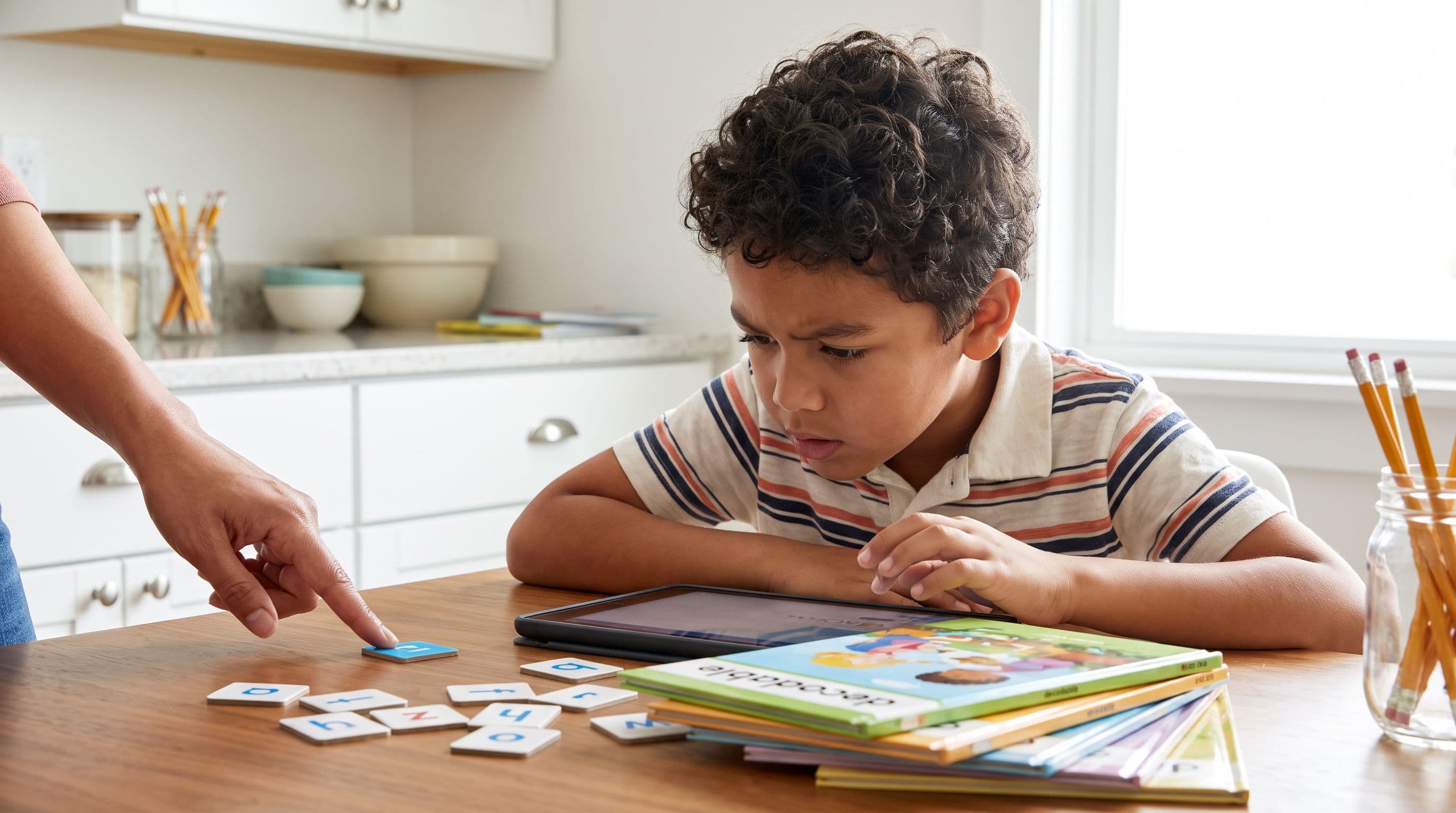
Reading Eggs vs ABCmouse for 5-Year-Olds: Best Pick
Choosing between Reading Eggs and ABCmouse? Here’s the no-fluff mom verdict on which app actually teaches a 5-year-old to read — and where both fall short.
Read More →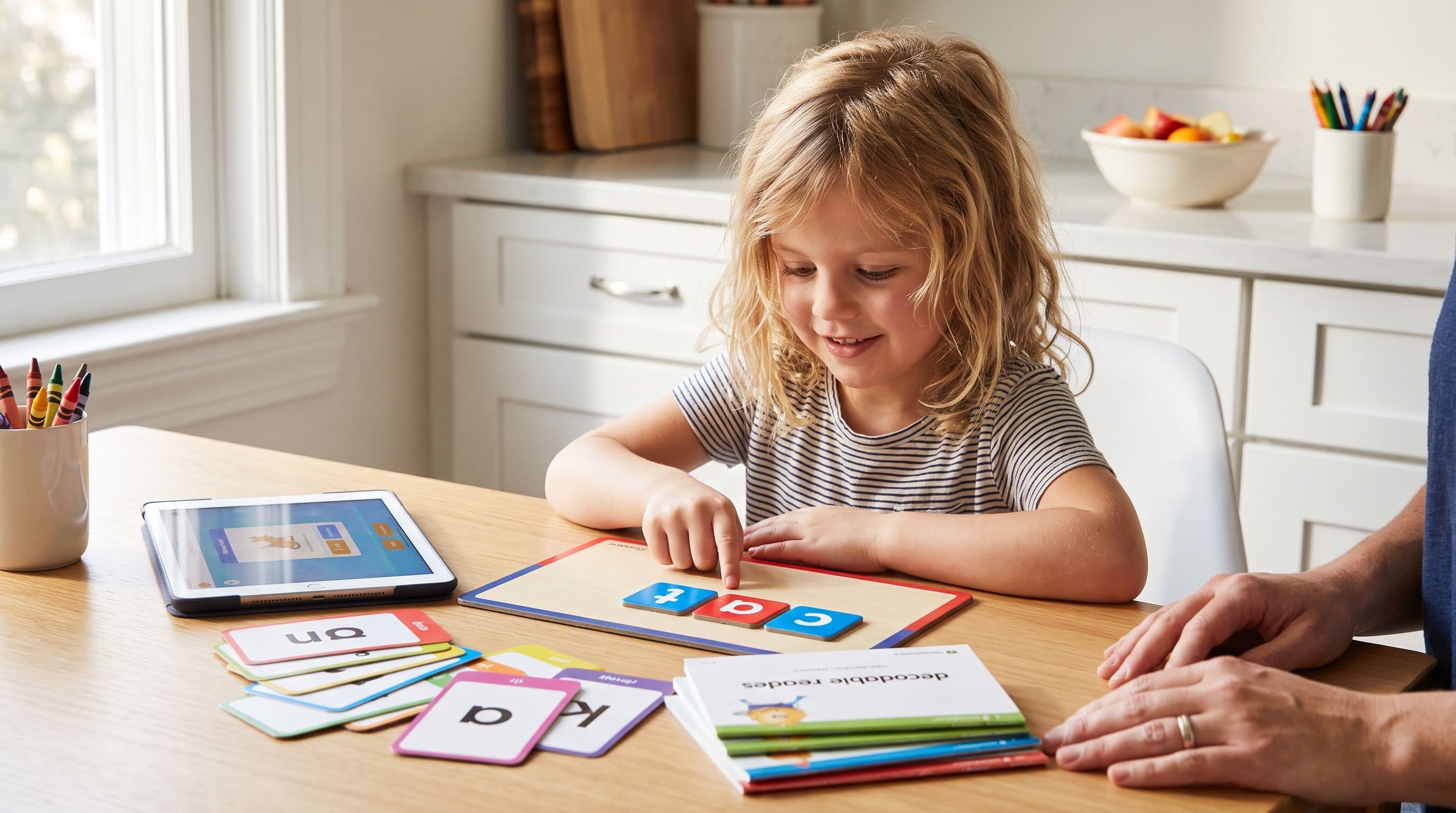
Reading Eggs vs HOMER Australia: Best Prep App?
Choosing between Reading Eggs and HOMER for your 4–6 year old? Here’s the blunt phonics-first comparison Australian parents need before Prep, Foundation or Kindy.
Read More →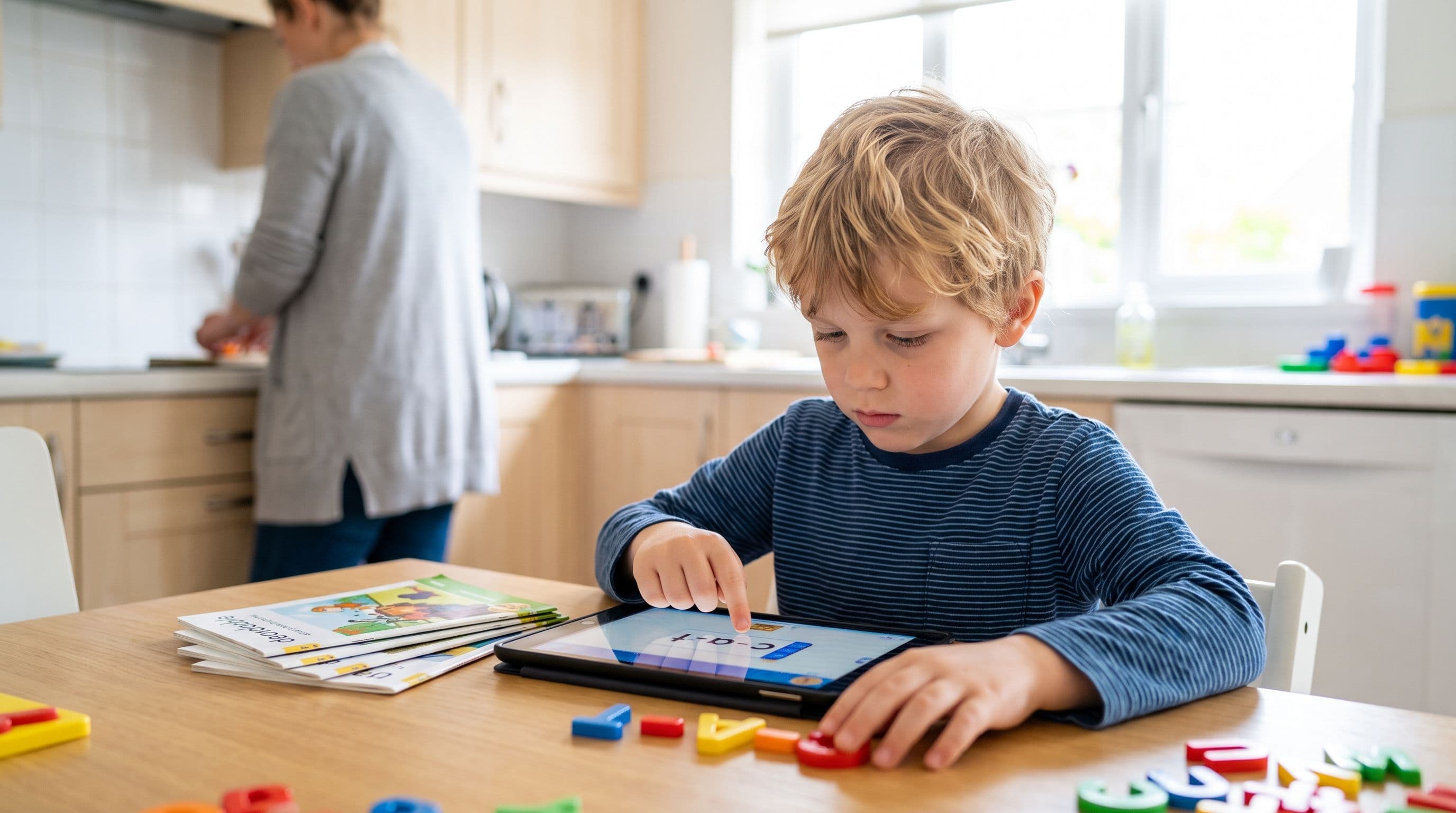
Best Reading App for a 6-Year-Old with Dyslexia: 2026 Picks
If your 6-year-old with dyslexia is guessing at words, cute reading games won’t fix it. Here’s how to choose a structured literacy app that builds decoding skill instead of wasting precious time.
Read More →