Best Reading App for 1st Graders in 2026: 6 Apps Compared Side by Side

What You'll Learn
- Why most "reading apps" for first graders are actually teaching your kid to guess — and how to spot the fakes in under 60 seconds
- The one non-negotiable feature a reading app MUST have if you want your 6-year-old to actually decode words (hint: it's not gamification)
- Which of the 6 apps I compared uses systematic synthetic phonics aligned with Orton-Gillingham principles — and which ones I'd delete
- The specific first grade reading benchmarks your child should hit by the end of the year, according to DIBELS data
The Problem With Most "Reading Apps" for First Graders
Here's what nobody tells you at Back to School Night: most reading apps don't actually teach reading.
They teach tapping. Swiping. Matching pictures to words. Collecting digital stickers. Your kid looks busy. They look engaged. You feel like a good parent because at least it's "educational" screen time.
But pull your first grader away from that app, hand them a book with the word "blend" in it, and watch what happens. They stare at it. They look at the picture for a clue. They guess "blue." They guess "band." They do everything except sound. it. out.
That's not reading. That's the three-cueing system dressed up in a cartoon costume, and it's the exact methodology that APM Reports' "Sold a Story" investigation by Emily Hanford exposed as junk science in 2023.
I've looked at a lot of reading apps. Like, an embarrassing number. I have four kids — ages 10, 7, 4, and 1 — and I've been in the trenches of teaching reading since my oldest was 3. My two oldest read above grade level. My 4-year-old is currently blending CVC words at the kitchen table every morning before breakfast (yes, even on weekends — Tiger Rules). So when I size up these apps, I'm checking each one against what I know works at our kitchen table — is it built for learning, or just playing?
Here are the 6 first grade reading apps I compared in 2026, ranked from best to worst.
But First: Why This Matters More Than You Think
Let me hit you with the scary stuff because you need to hear it.
The Nation's Report Card (NAEP) — that's the national assessment Congress uses to measure how American kids are actually doing — showed that only 33% of 4th graders read at a proficient level on the 2022 assessment. The 2023 scores dropped another 3 points from 2019. That's the largest decline in 30 years.
One-third. That means two out of every three kids in a typical 4th grade classroom can't read well enough to learn from a textbook.
And here's the kicker: research from the Annie E. Casey Foundation's 2010 study found that kids who can't read proficiently by the end of 3rd grade are four times more likely to drop out of high school. Four times. That's not a rounding error. That's a life sentence.
First grade is ground zero. It's the year your child should move from "I know my letters" to "I can read simple books independently." DIBELS benchmarks say a first grader should hit approximately 47 correct words per minute on oral reading fluency by the end of the year. If your kid is spending 30 minutes a day on a reading app that's essentially a matching game with sound effects, those minutes are gone forever. You don't get them back.
I was at a playground in Raleigh last spring when another mom told me her son's school had just switched from Lucy Calkins' Units of Study to a Science of Reading curriculum because of North Carolina's SB 387 — the Excellent Public Schools Act. She was confused and honestly a little annoyed. "He was doing fine before," she told me while our kids climbed the monkey bars. So I asked her a simple question: can your son read the word "splint"? He's in second grade. He could not. He looked at it, scrunched up his face, and guessed "split." Close — but close only counts in horseshoes.
I spent 20 minutes on that playground bench explaining why the switch was happening — Hanford's reporting, the NAEP data, Stanislas Dehaene's research in Reading in the Brain (2009) showing that the brain doesn't learn to read naturally the way it learns to speak. Reading is a trained skill. It requires explicit, systematic instruction in how letters map to sounds. Dehaene's a French neuroscientist who literally used brain imaging to prove this. It's not an opinion. It's neurology.
That mom went home and listened to the Sold a Story podcast that night. She texted me at 11pm: "I had no idea. Why didn't anyone tell us this sooner?"
Nobody told her because the system failed her. And the wrong reading app will fail your kid the same way — silently, while they collect virtual coins and you think everything's fine.
What a Good First Grade Reading App MUST Do
Before I get to the rankings, you need to know what to look for. This is your filter. If an app doesn't meet these criteria, delete it. I don't care how many App Store stars it has.
1. Systematic Synthetic Phonics The app should teach letter-sound correspondences in a logical, sequential order — not random, not all at once. Consonants and short vowels first, then blends, then digraphs, then long vowel patterns. This is the approach backed by the National Reading Panel report from 2000 — the one Congress actually commissioned.
2. No Picture Guessing If a child can "read" a sentence by looking at the picture and guessing the word, the app is broken. Period. Decodable text means the child can ONLY read the sentence by sounding out the words. The pictures should illustrate — not replace — the reading.
3. Blending Practice, Not Just Letter ID Knowing that "B says /b/" is step one. But reading means blending /b/ + /ă/ + /t/ into "bat" smoothly and automatically. David Kilpatrick's research on orthographic mapping — laid out in his 2016 book Equipped for Reading Success — shows that kids need to connect sounds to letter patterns in the act of reading connected text, not just in isolation drills. An app that only does letter recognition is a preschool app, not a first grade reading app.
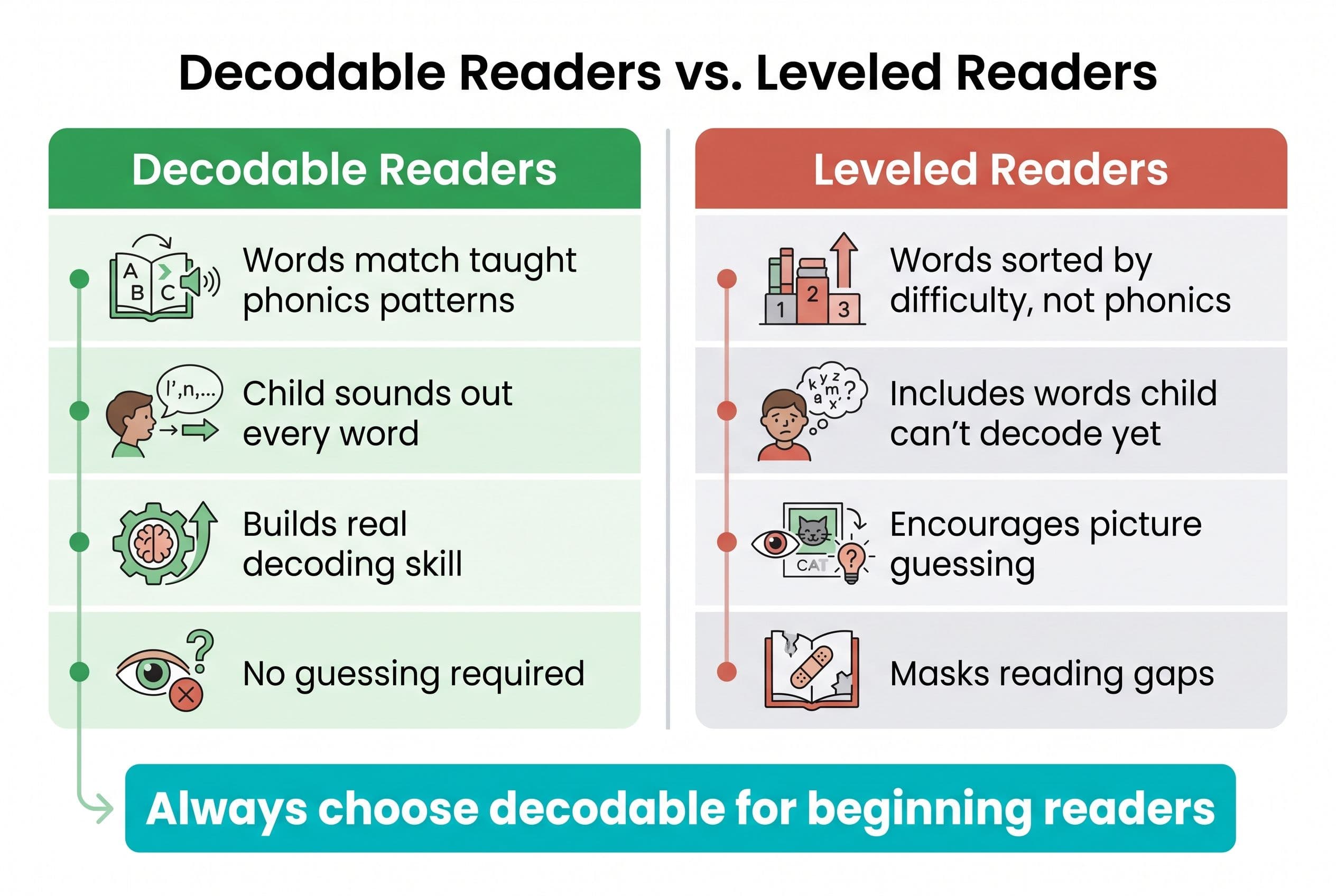
4. Decodable Readers, Not Leveled Readers This is a big one. Leveled readers (like those sorted by Fountas & Pinnell levels) aren't controlled for phonics patterns — they sort books by word count, sentence length, and topic complexity, not by what your child has actually been taught to decode. That means a level C book might throw "beautiful" and "elephant" at a kid who's only learned short vowel sounds. When leveled texts are used as the primary reading material for beginning decoders — especially within three-cueing or Balanced Literacy instruction — they push kids to guess from pictures and context instead of sounding out. A good app uses decodable readers that only include phonics patterns the child has already been taught. That's the difference between building real decoding skill and building guessing habits.
5. Progress Tracking That Shows Phonics Mastery I want to see which grapheme-phoneme correspondences my kid has mastered and which ones she's still shaky on. "Your child completed Level 3!" tells me nothing. "Your child is 85% accurate on consonant digraphs but struggles with /th/ vs /ch/" — now that's useful.
The 6 Reading Apps I Compared (Ranked)
I compared them on the five criteria above, plus overall engagement and cost — based on how each one describes its approach and what its published features and pricing show.
#1: Teach Your Kid to Read — Best Overall for First Graders
Look, I'm biased. I co-founded this app. But I'm biased because I built the thing I couldn't find anywhere else.
When I was teaching my oldest to read, I wanted an app that followed the same Orton-Gillingham principles I was using at our kitchen table. Systematic. Sequential. Explicit. No guessing. I wanted decodable text that matched exactly what my kid had been taught — nothing more, nothing less. And I wanted it to work in 15 minutes a day because I had a toddler hanging off my leg and dinner burning on the stove.
I couldn't find it. So we built it.
What it does right:
- Systematic synthetic phonics sequence — short vowels → blends → digraphs → vowel teams → r-controlled vowels, in the exact order that aligns with the science
- Every word the child reads is decodable based on patterns they've already learned. No guessing. If they haven't learned the /oa/ pattern yet, they won't see "boat"
- Built-in blending drills — the child physically swipes sounds together, building that left-to-right decoding habit
- Real progress tracking that tells you which phonics patterns need more practice
- Follows the Simple View of Reading framework (Gough & Tunmer, 1986): decoding × language comprehension = reading. The app handles decoding; you handle the read-aloud comprehension at bedtime
What could be better:
- It's not the flashiest app on this list. There aren't lava dragons or talking penguins. My 7-year-old didn't care. My 4-year-old didn't care. But if your kid is used to high-stimulation apps, the first few sessions might feel less "exciting." Good. Reading isn't supposed to compete with Roblox.
Cost: Free to start, with affordable subscription tiers.
Bottom line: This is the app I use with my own kids. That's the highest endorsement I can give.
#2: UFLI Foundations Virtual Teaching Resource — Best Free Supplement
UFLI Foundations is a phonics curriculum out of the University of Florida, and it's the real deal. The physical program is used in schools across the country, and their free virtual resources are solid.
What it does right:
- Aligned with systematic phonics research
- Free resources including virtual manipulatives and word lists organized by phonics pattern
- Follows a clear scope and sequence
What's limited:
- It's not really an "app" — it's a set of digital resources. You (the parent) have to do the teaching. There's no interactive student-facing experience where your kid works independently
- No built-in progress tracking
- Works best as a supplement to direct instruction, not a standalone tool
Cost: Free.
Bottom line: Excellent if you're a parent who wants to do the explicit teaching yourself and needs a research-backed scope and sequence to follow. Not a replacement for an interactive learn-to-read app.
#3: Reading Eggs — Decent Phonics, Too Much Fluff
Reading Eggs is one of the most popular reading apps out there, and I'll give it credit: it does include systematic phonics instruction. That puts it ahead of most competitors.
What it does right:
- Real phonics lessons with a clear sequence
- Engaging for kids who need gamification to stay focused
- Includes some decodable readers
What bugs me:
- Way too much game-layer distraction. The ratio of "game" to "instruction" skews heavily toward game
- Some levels allow picture-based guessing
- The progress reports tell you what level your kid reached but not which specific phonics patterns they've mastered
- The leveled book library mixes decodable and non-decodable texts, which is a problem
Cost: Subscription-based — $13.99 a month or $99.99 a year as of October 2026.
Bottom line: If your kid absolutely refuses to do any reading practice without cartoon characters and virtual rewards, Reading Eggs is better than nothing. But "better than nothing" is a low bar.
#4: Homer — Mixed Bag, Leans Whole Language
HOMER gets a lot of buzz. It's sleek. It's well-designed. And it's a mixed bag when it comes to actual reading science.
What it does right:
- Beautiful design and high production quality
- Includes some phonics and phonemic awareness activities
- Good vocabulary exposure through stories
What's wrong:
- The reading pathway mixes phonics with whole-language strategies. Kids encounter words they have no phonics tools to decode, which trains guessing behavior
- Heavy emphasis on "sight words" as whole-word memorization rather than teaching them through orthographic mapping (Kilpatrick would have words about this)
- The stories are not decodable — they're leveled readers in app form
- No blending instruction that I could find
Cost: Subscription-based — check HOMER's site for current pricing.
Bottom line: Homer is a great vocabulary and story app. It's a mediocre reading app. If your first grader already decodes well and you want supplemental comprehension and vocabulary content, it has value. If your kid is still learning to read? Skip it.
#5: Starfall — Outdated but Not Terrible
Starfall has been around forever. It's showing its age.
What it does right:
- Teaches letter-sound correspondences explicitly
- Free tier available
- Simple, low-stimulation interface (honestly a plus in my book)
What's wrong:
- The scope and sequence is incomplete for a first grader — it covers early phonics well but doesn't go deep enough into advanced patterns like vowel teams, r-controlled vowels, or multi-syllable word strategies
- Design feels dated, which can be a hard sell for kids used to modern apps
- Limited progress tracking
- Some activities are more "click and listen" than "decode and read"
Cost: Free basic version; Home Membership $35 a year as of October 2026.
Bottom line: Fine for preschool and early kindergarten phonics. Not robust enough for a first grader who needs to go from CVC words to fluent connected text.
#6: ABCmouse — The One I'd Delete Fastest
I know. ABCmouse is everywhere. Every parent has tried it or thought about trying it. It has a zillion downloads and celebrity endorsements.
It's bad for reading. I'm sorry. (I'm not sorry.)
What it does right:
- Wide range of content across subjects
- High engagement factor — kids love the rewards and virtual world
- Some letter recognition activities for pre-readers
What's wrong:
- The "reading" curriculum is not systematic phonics. It's a grab bag of letter activities, memorization games, and leveled books that train guessing
- Heavy emphasis on whole-word memorization
- No decodable readers
- No blending instruction
- The gamification is so extreme that the "learning" is essentially a gateway to the "playing." A kid can rush through any reading activity as fast as possible to earn tickets for the virtual aquarium. Speed + no accuracy feedback = practicing errors
- Progress tracking is meaningless — "Your child completed 47 activities!" OK, but can she read?
Cost: Subscription-based — check ABCmouse's site for current pricing.
Bottom line: ABCmouse is a fun screen time activity. It is not a reading app. The 40+ states that have now passed Science of Reading legislation since 2019 are moving away from exactly the approach ABCmouse uses. Mississippi's Literacy-Based Promotion Act of 2013 — which took them from 49th to 21st in national reading scores in 6 years — was built on the opposite philosophy. If Mississippi can figure this out, your app can too.
Delete it.
The Quick Comparison
| App | Systematic Phonics? | Decodable Text? | No-Guess Design? | Progress Tracking? | Cost |
|---|---|---|---|---|---|
| Teach Your Kid to Read | ✅ Yes | ✅ Yes | ✅ Yes | ✅ Phonics-specific | Free to start |
| UFLI (Virtual) | ✅ Yes | ✅ Yes | ✅ Yes | ❌ Manual only | Free |
| Reading Eggs | ✅ Mostly | ⚠️ Mixed | ❌ Some guessing | ⚠️ Level-based only | $99.99/yr (Oct 2026) |
| Homer | ⚠️ Partial | ❌ No | ❌ No | ⚠️ Limited | Check site |
| Starfall | ✅ Early skills | ⚠️ Limited | ✅ Mostly | ❌ Minimal | Free / $35/yr |
| ABCmouse | ❌ No | ❌ No | ❌ No | ❌ Activity count only | Check site |
What First Grade Reading Benchmarks Should You Aim For?
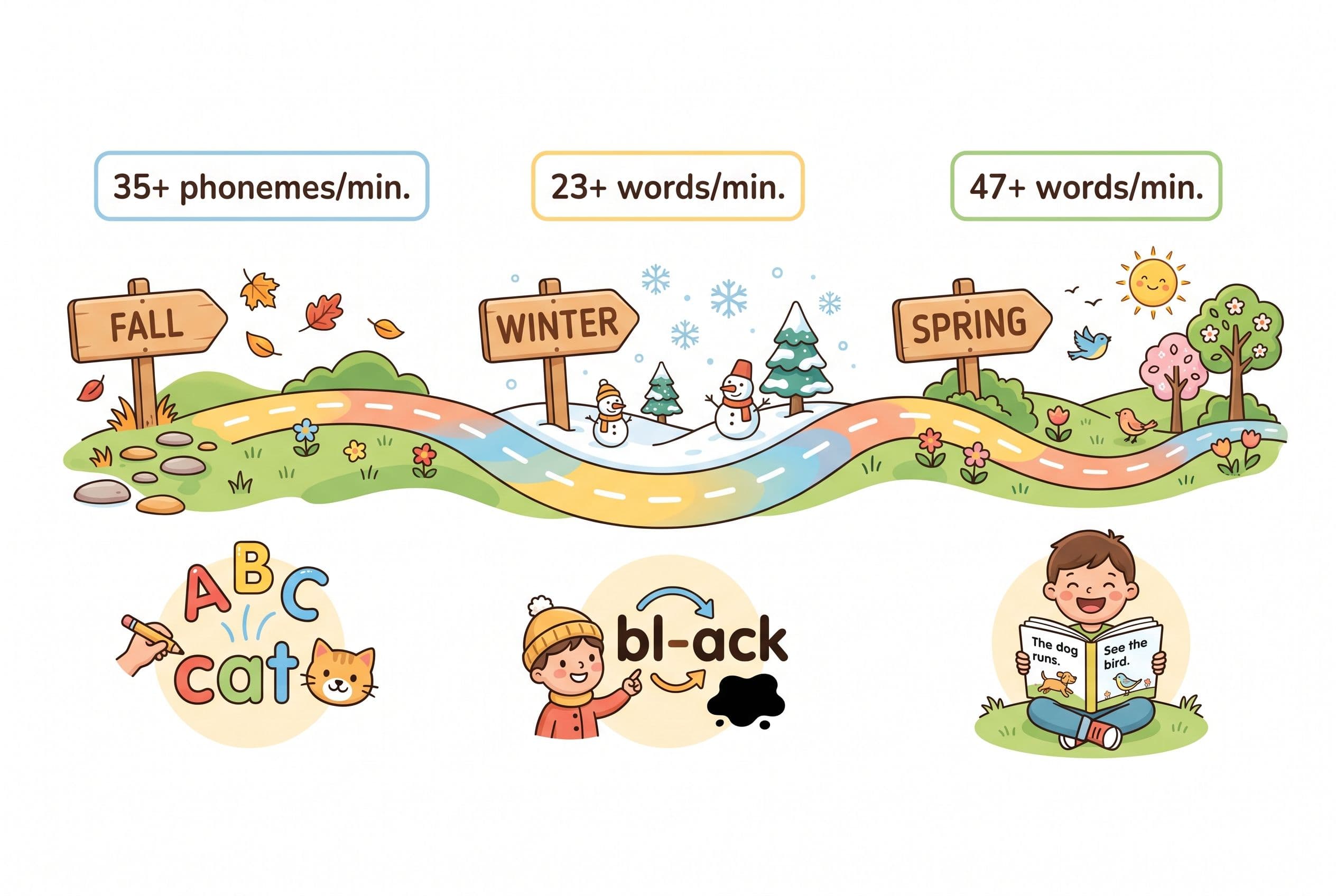
A good app is a tool. But you need to know what the target looks like. Here are the benchmarks I track, based on DIBELS assessment data and Linnea Ehri's phases of word reading development (from her 2005 meta-analysis on sight word learning and orthographic mapping):
Beginning of 1st Grade (Fall):
- Knows all letter names and sounds (uppercase and lowercase)
- Can blend and read CVC words (cat, sit, bug) without hesitation
- Phoneme segmentation fluency: 35+ phonemes per minute (DIBELS benchmark)
- Starting to read short decodable sentences
Middle of 1st Grade (Winter):
- Reads consonant blends (black, stamp, drink) and digraphs (ship, chop, thin)
- Oral reading fluency: 23+ words correct per minute (DIBELS benchmark)
- Can read simple decodable books with short vowel patterns and blends
End of 1st Grade (Spring):
- Reads long vowel patterns (silent-e, vowel teams like "rain" and "boat")
- Oral reading fluency: 47+ words correct per minute (DIBELS benchmark)
- Can read connected text with comprehension — retelling the main idea and key details
- Transitioning into what Ehri calls the "consolidated alphabetic phase" — recognizing common letter patterns as chunks rather than individual sounds
If your child isn't hitting these benchmarks, it's not time to "wait and see." It's time to act. The Kilpatrick PAST test (Phonological Awareness Screening Test) takes about 5 minutes, and you can find the procedure in his book Equipped for Reading Success. It'll tell you exactly where the phonological breakdown is happening.
How to Actually Use a Reading App (Without It Becoming Mindless Screen Time)
Even the best app in the world won't work if you hand your kid a tablet and walk away. Here's my system — the one I use with my own kids.
Step 1: Set the Timer — 15 Minutes Max A first grader's focused attention span is about 10-20 minutes for a structured learning task. Don't push it to 45 minutes because you need to make dinner. Fifteen minutes of focused, high-quality phonics practice beats an hour of distracted tapping every single time.
Step 2: Sit Next to Them (At Least at First) For the first two weeks, sit shoulder-to-shoulder. Watch what they do when they hit a hard word. Are they sounding it out? Looking at the picture? Randomly tapping letters? You need this intel.
Step 3: Enforce the "No Guessing" Rule When my 7-year-old was in the thick of learning, every time he guessed a word — even correctly — I'd stop him. "Don't guess. Sound it out." Even if he got it right by guessing, I made him go back and decode it. Why? Because guessing is a habit. Once it's installed, it's brutally hard to uninstall. Louisa Moats wrote about this in her 1999 paper Teaching Reading IS Rocket Science for the American Federation of Teachers — reading requires explicit instruction in the code, not intuition.
Step 4: Follow Up With Real Books The app is practice. Real decodable books are the performance. After 15 minutes on the app, hand your kid a decodable reader that matches the phonics patterns they've been working on. Flyleaf Publishing and High Noon Books make excellent decodable readers. Bob Books are a classic for early decoders. Skip the Fountas & Pinnell leveled readers — they're everywhere, but they're not controlled for phonics patterns, so they'll push your beginning decoder right back into guessing.
Step 5: Track Progress Monthly Every month, I do a quick informal assessment. Can my kid read a list of nonsense words using the phonics patterns we've covered? (Nonsense words are the gold standard because the child can't have memorized them.) DIBELS nonsense word fluency benchmarks say 28+ correct letter sounds per minute by mid-kindergarten, and by end of first grade your child should be reading whole nonsense words, not just individual sounds. If they can't — we go back and drill the weak patterns.
The Real Question: Does Your First Grader Need an App at All?
Real talk — an app is not a teacher. An app is a tool that a good teacher (or parent) uses strategically.
If your child's school uses a strong phonics curriculum like UFLI Foundations, Fundations, or Wilson Reading System, an app like Teach Your Kid to Read serves as daily reinforcement. Same patterns, extra practice, building automaticity.
If your child's school is still using a Balanced Literacy or three-cueing approach (and yes, some schools still are despite the 40+ states that have passed Science of Reading legislation), the app might be doing the heavy lifting that the classroom isn't.
If you're homeschooling like me, the app is one piece of a bigger daily routine: 15 minutes on the app, 10 minutes of explicit phonics instruction at the table, 15 minutes of decodable book reading, and 20 minutes of me reading aloud to build vocabulary and comprehension. That's an hour. Every day. Including birthdays. Including Christmas. Tiger Rules: we never skip.
Is it a lot? Yes.
Is it worth it? Ask my 10-year-old, who reads at a 7th grade level and just devoured the entire Percy Jackson series in three weeks.
Yeah. It's worth it.
Frequently Asked Questions
Can a reading app alone teach my first grader to read?
No app can fully replace direct, explicit phonics instruction from a knowledgeable adult. Scarborough's Reading Rope model shows that skilled reading requires weaving together decoding skills AND language comprehension — vocabulary, background knowledge, and verbal reasoning. An app can handle the decoding practice beautifully, but your child still needs you reading aloud to them, discussing stories, and building the comprehension strand. Use the app as your decoding drill partner, not your child's only reading teacher.
How much time per day should my first grader spend on a reading app?
Fifteen minutes of focused, high-quality practice. Not 45 minutes of half-distracted tapping while you cook. The American Academy of Pediatrics recommends limiting recreational screen time, but purposeful, interactive educational content is different from passive YouTube watching. Sit with your child, enforce the no-guessing rule, and keep sessions short and intense. Think of it like piano practice — 15 minutes of deliberate practice beats an hour of noodling around.
My child's school already teaches reading. Do they still need a reading app at home?
It depends on what the school is teaching. If they're using a systematic phonics program (ask — by name — what curriculum they use), then a phonics-based app provides great reinforcement. If the school uses Balanced Literacy or if your child is falling behind grade-level benchmarks, a strong phonics app at home can fill the gaps the classroom is leaving. Check your child's progress against DIBELS benchmarks: 23+ words correct per minute by mid-first-grade, 47+ by the end. If they're below those numbers, extra practice at home isn't optional.
What's the difference between a "leveled reader" app and a "decodable reader" app?
This is the single most important distinction parents miss. A leveled reader sorts books by difficulty using word count, sentence length, and topic complexity — but the words aren't controlled for phonics patterns. A level C book might include "beautiful" and "elephant" when your child has only learned short vowel sounds. When leveled texts are the primary reading material for a beginning decoder — especially within three-cueing or Balanced Literacy instruction — they push kids toward guessing from pictures and context instead of sounding out. A decodable reader only uses words with phonics patterns the child has already been explicitly taught. If your kid has learned short vowels and consonant blends, the decodable book will have "stamp" and "black" — but not "night" or "phone." Decodable readers build real decoding skill. Leveled readers used as primary early reading practice build guessing habits.
How do I know if a reading app is using real phonics or fake phonics?
Open the app and watch for three things. First, does it teach letter sounds in a clear, sequential order — or does it throw random letters and words at the child? Second, when your child encounters a new word, does the app prompt them to sound it out or does it just say the word for them? Third, look at the reading passages — can your child decode every word using only the phonics patterns the app has taught so far, or are there words they'd have to guess? If you see picture-matching, whole-word memorization flashcards, or "read along" stories where the app narrates and the child just listens — that's not phonics instruction. That's dressed-up screen time.
Stop Guessing. Start Reading.
Your first grader has one shot at this year. The 3rd Grade Cliff is real — kids who fall behind in reading rarely catch up, and the consequences ripple through every subject, every grade, every standardized test for the rest of their school career.
The right reading app won't fix everything. But the wrong one will waste months of your child's critical learning window while you think progress is happening.
I built Teach Your Kid to Read because I couldn't find an app that matched the science. Systematic synthetic phonics. Decodable text. No guessing. No fluff. Just the real work of teaching a child to read, one sound at a time.
Try it free today at TeachYourKidToRead.org, or call us at (407) 707-6850 if you have questions. I answer parent calls personally. Yes, really.
Your kid can learn to read. Not "someday." Not "when they're ready." Now.
— Xia
Part of these guides

Xia Brody
Co-Founder, Teach Your Kid to Read
Mom of 4 who has successfully taught her kids to read. Currently in the trenches with her 4-year-old while her two oldest (10 and 7) devour books on their own. Passionate about phonics-based methods and building a lifelong love of reading.
Related Articles
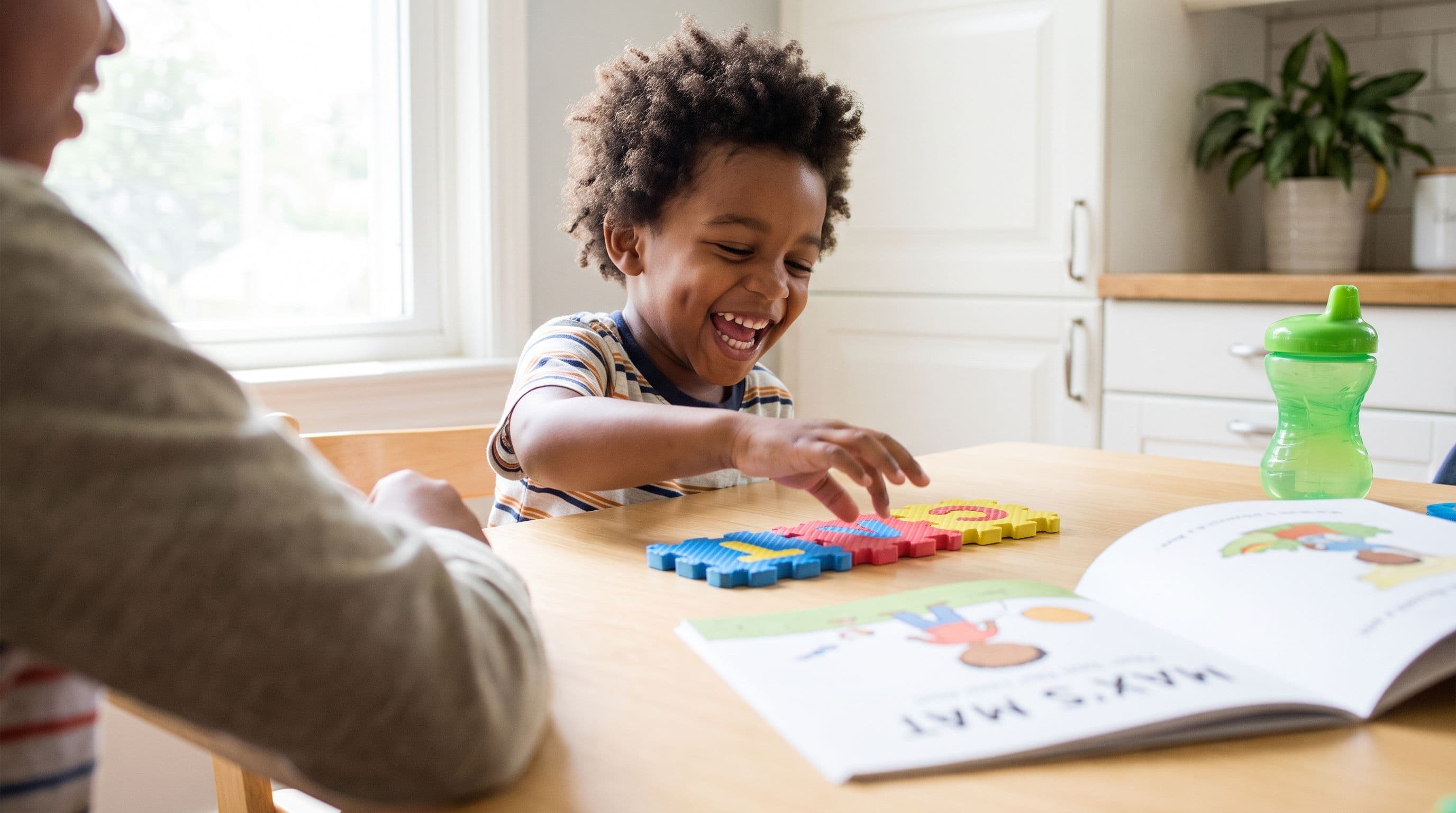
My First Grader Can't Read? The 90-Day Catch-Up Plan
If your 6-year-old is guessing at words, memorizing books, or melting down at the page, you don't have a motivation problem — you have an instruction problem. Here's the exact 90-day catch-up plan I'd run, starting tonight.
Read More →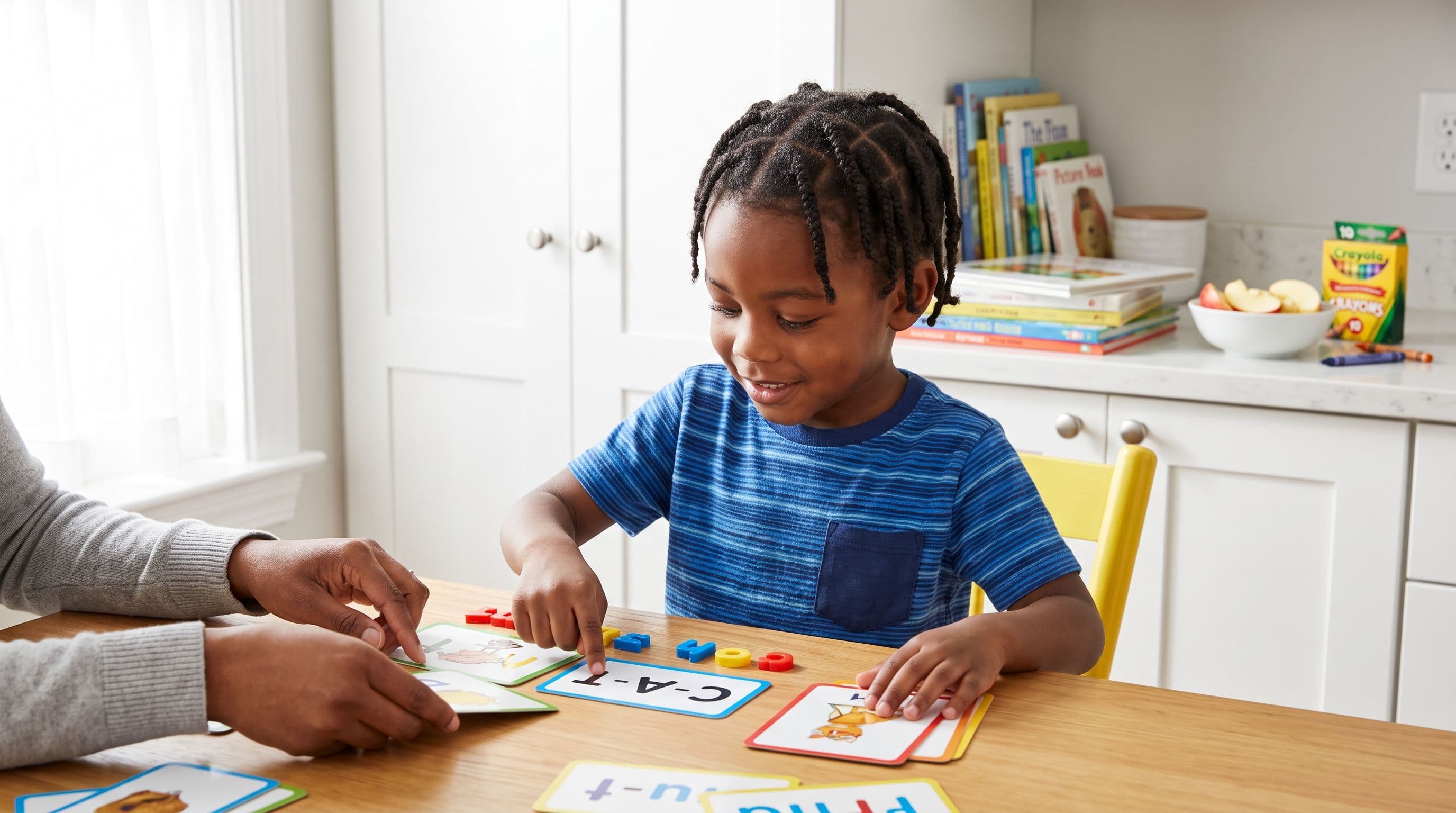
Best Reading App for a 1st Grader Who Guesses Words
If your 1st grader guesses words from pictures, that’s not reading — that’s coping. Here’s the no-nonsense app comparison I’d use with my own kids.
Read More →
My 1st Grader Hates Reading: 7 Fixes to Try Today
If your first grader won’t read, don’t panic—but don’t wait. Here’s how to tell whether the problem is motivation, decoding weakness, bad books, or all three.
Read More →