Best Phonics App for Kindergarten: 6 Compared & Ranked (2026)
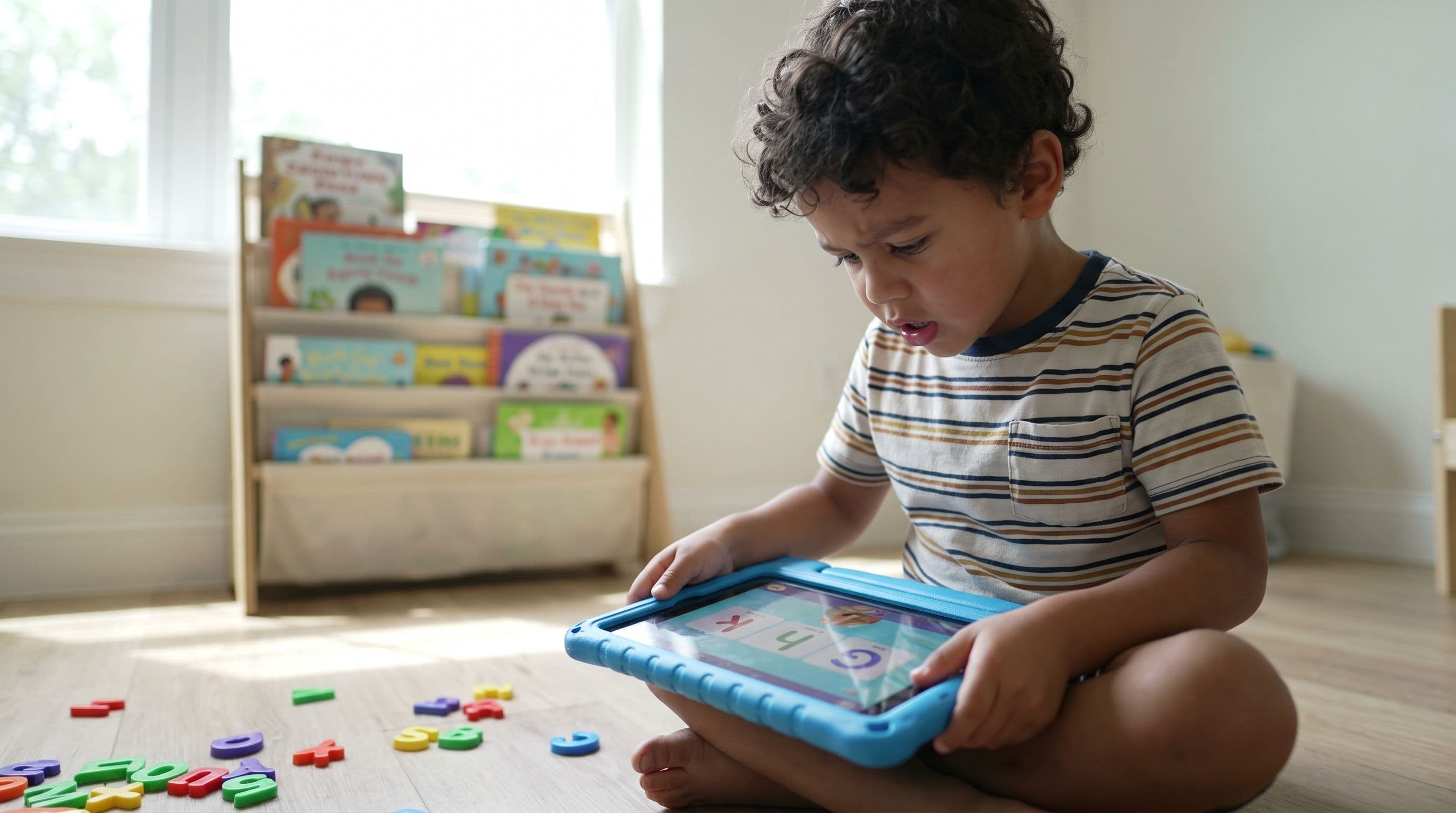
What You'll Learn
- Why most top-rated "phonics apps" in the App Store are actually teaching your kid to guess — and the dead-simple way to spot the fakes in under 30 seconds
- The one phonics app feature that matters more than animations, games, or star ratings (hint: it's the same thing that turned around Mississippi's reading scores)
- How a veteran first-grade teacher's mid-year curriculum switch produced a 15-point jump in decoding scores — and what that tells us about choosing the right app
- My ranked breakdown of 6 kindergarten phonics apps, including the free option that ranks above several paid ones
The App Store Is Lying to You
Search "best phonics app for kindergarten" right now. Go ahead. I'll wait.
You'll get a wall of rainbow-colored icons, 4.8-star ratings, and glowing reviews from parents who say things like "My kid LOVES this app!" and "She plays it for an hour straight!"
Know what none of those reviews mention? Whether the kid can actually read.
Here's the ugly truth: most apps marketed as phonics apps for 5-year-olds aren't teaching phonics at all. They're teaching kids to tap pictures, match shapes, and guess words from context clues — the exact same broken approach that APM Reports' "Sold a Story" investigation exposed in 2023. The three-cueing method. The "look at the picture and guess" strategy. Except now it's wrapped in a cartoon fox and costs $9.99 a month.
I've been homeschooling four kids. My oldest two — ages 10 and 7 — both read above grade level. I'm currently in the trenches with my 4-year-old, Mei, and I'm not about to hand her an iPad app that teaches her to guess any more than I'd hand her a calculator before she can count.
So I did what any slightly obsessive homeschooling mom would do. I compared six of the most popular kindergarten reading apps side by side and evaluated each one's stated approach against actual reading science.
The results were... not great for most of them.
The Tiger Truth: What Happens If You Pick the Wrong App
Let me scare you for a second. You need to hear this.
Only 33% of 4th graders in America read at a proficient level. That's according to the 2022 NAEP — the Nation's Report Card. Two out of three kids can't read well enough to learn from a textbook by 4th grade. And the 2023 scores? They dropped another 3 points from 2019. The largest decline in 30 years.
The Annie E. Casey Foundation's 2010 study found that kids who can't read by 3rd grade are four times more likely to drop out of high school. Four times.
These aren't kids whose parents didn't care. Many of these parents bought the apps. Read the bedtime stories. Trusted the school. The problem isn't effort — it's method.
When your kindergartner spends 20 minutes a day on an app that teaches guessing instead of decoding, you're not just wasting time. You're actively training bad habits into their brain. Stanislas Dehaene's research in Reading in the Brain (2009) showed that the brain has to be specifically trained to connect letters with sounds — it doesn't happen naturally, and it definitely doesn't happen by tapping cartoon animals.
Every month spent on the wrong app is a month your kid could've spent building real grapheme-phoneme connections. And those months add up fast when the 3rd Grade Cliff is only a few years away.
What Real Phonics Instruction Actually Looks Like
Before I rank the apps, you need to know what to look for. Because if you don't know what real phonics instruction looks like, the App Store will eat you alive.
The National Reading Panel report from 2000 — the one Congress actually commissioned — was clear: systematic, explicit phonics instruction produces significant benefits for reading achievement. Not random letter games. Not "balanced" approaches where you throw in a little phonics alongside a lot of guessing. Systematic. Explicit. Sequential.
That means:
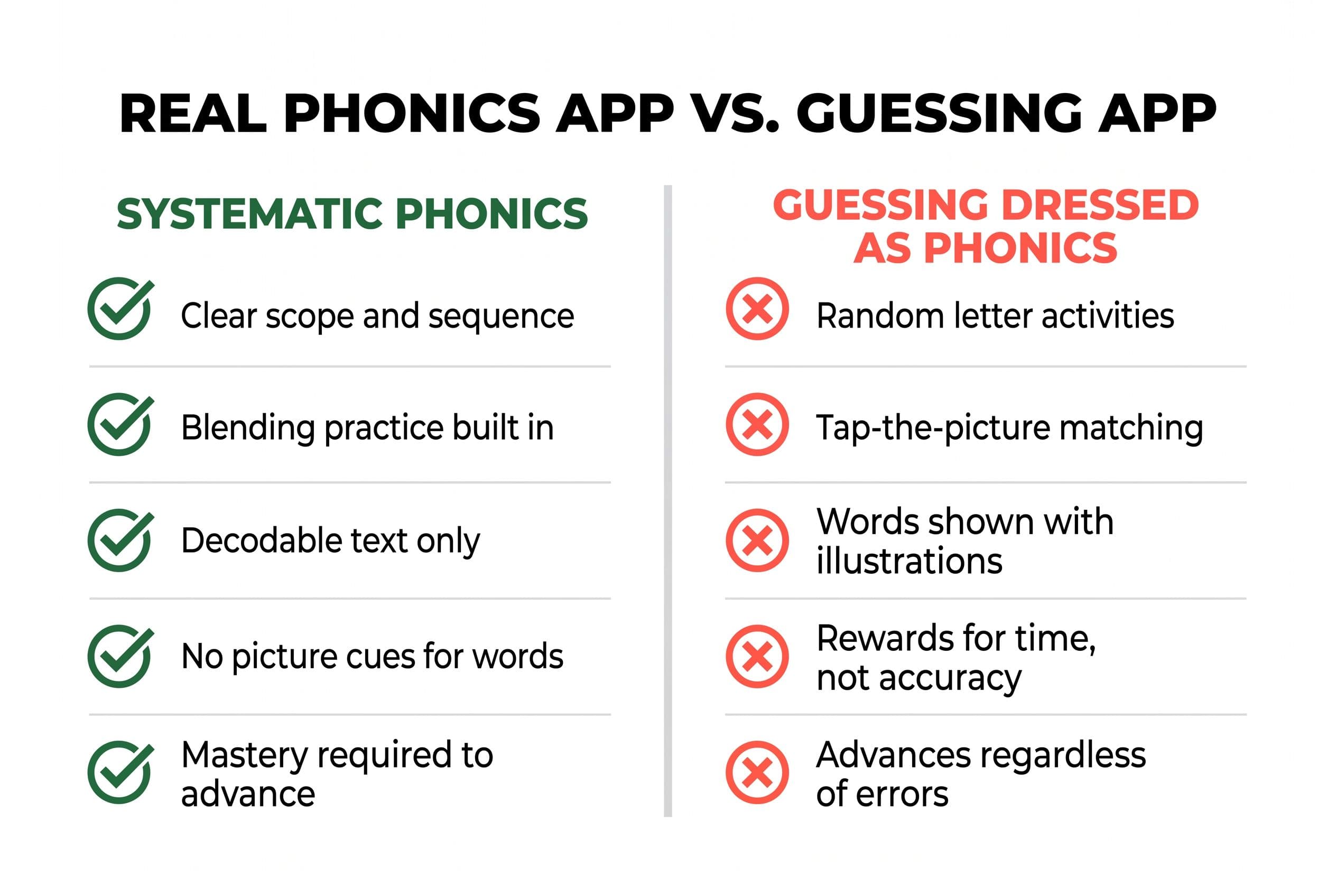
1. A clear scope and sequence. The app teaches letter-sound correspondences in a specific, logical order — not randomly. Short vowels before long vowels. CVC words before blends. Blends before digraphs. You shouldn't see your kid encountering "ight" words in week two.
2. Blending practice. The app makes kids push sounds together to form words, not just identify isolated letter sounds. Knowing that B says /b/ is useless if you can't blend /b/-/a/-/t/ into "bat."
3. Decodable text. After learning a set of sounds, the kid reads words and sentences made entirely from those sounds. No guessing from pictures. No memorizing sight words they can't decode yet.
4. Zero picture-guessing. This is the kicker. If the app shows a picture of a dog next to the word "dog" and asks your kid to "read" it — that's not reading. That's picture-matching. The task measures visual recognition, not decoding — and kids can get it right without mapping a single letter to a single sound.
Here's how I spot a fake phonics app in 30 seconds: I watch whether my kid can get the right answer without knowing any letter sounds. If she can tap pictures and pass levels based on context clues alone? Delete. Immediately.
The Neighbor Who Changed Everything
Let me tell you a story that changed how I evaluate reading tools — apps included.
After Emily Hanford's Sold a Story came out, my neighbor called me almost in tears. She's been a first-grade teacher for 18 years. Her entire career, she'd been using Lucy Calkins' Units of Study curriculum. Three-cueing, MSV, the whole thing. "I've been teaching kids to guess for two decades," she told me, "and I didn't even know it."
She switched her classroom to UFLI Foundations mid-year. It was messy — she had to relearn everything herself first, and her students had already spent half the year with the old approach. But by spring, her kids' DIBELS scores had jumped an average of 15 points on nonsense word fluency. She told me that was the first time in her career where every single kid in her class could decode CVC words by February.
Every. Single. Kid.
That conversation rewired how I look at everything — including apps. Because if a veteran teacher can get those results in half a year by switching to systematic synthetic phonics, then the method matters more than the delivery system. A mediocre-looking app built on Orton-Gillingham principles will outperform a gorgeous, gamified app built on guessing. Every single time.
So when I compared these six apps, I wasn't looking at animations, music, or how many minutes a kid would sit still. I was looking at the phonics.
The 6 Apps I Compared — And How I Compared Them
Here's my methodology (yes, I'm that mom).
I looked at what each app says about its approach and how its activities are built: whether it teaches blending, whether it uses decodable text, and whether a child could "cheat" by guessing from pictures.
I also ran each app by David Kilpatrick's framework from Equipped for Reading Success (2016) — his research on orthographic mapping shows that kids need strong phonemic awareness and explicit letter-sound practice to permanently store words in memory. If an app isn't building that, it's building sand castles.
Here are the six apps, ranked from best to worst.
#1: Teach Your Kid to Read
Price: Free with optional upgrades Platform: Web-based (works on any device)
Real talk — yes, this is our app. And yes, I'm biased. But I'm also the person who built it because I couldn't find what I needed for my own kids, and I'm going to tell you exactly why it's the best phonics app for kindergarten available right now.
Teach Your Kid to Read uses systematic synthetic phonics built on Orton-Gillingham principles. The scope and sequence is tight: kids learn letter sounds in a research-backed order, practice blending from day one, and read decodable text that uses only the sounds they've learned. There are no picture clues. There's no guessing. When Mei hits a word, she has to sound it out or she doesn't move forward.
The app tracks mastery, not completion. Your kid doesn't "pass" a level by getting 60% right — they have to demonstrate actual decoding skill before advancing. That's the same standard that programs like the Wilson Reading System and Barton Reading use for students with dyslexia indicators.
After one week, Mei decoded 4 out of 5 novel CVC words. She sounded them out slowly, finger-pointing at each letter on paper, exactly the way she'd practiced in the app. No guessing. No looking at me for clues.
Bottom line: this is the app I'd use even if I hadn't helped build it. It does what most apps won't — forces the kid to actually read.
#2: HOMER
Price: Subscription (check the HOMER site for current pricing) Platform: iOS, Android
HOMER has improved significantly since its earlier versions, and I'll give credit where it's due. It includes a phonics pathway with a scope and sequence, introduces blending, and uses some decodable readers.
But here's my issue: HOMER is a buffet. There's phonics, but there's also a ton of "story time" content, drawing activities, social-emotional lessons, and exploration games. For a kid like Mei, who would happily spend 20 minutes drawing a rainbow instead of blending sounds, the non-phonics content is a distraction — not a bonus.
Also, some of HOMER's early reading activities still use picture-matching to "read" words, which fails my 30-second fake phonics test.
Verdict: Decent phonics buried under a lot of extras. If you use it, stay on the phonics pathway and ignore the rest.
#3: Phonics Hero
Price: Free trial, then subscription (check the Phonics Hero site for current pricing) Platform: Web-based, iOS, Android
This one surprised me. Phonics Hero follows a synthetic phonics approach that's closer to what you'd find in a structured literacy classroom. It teaches sounds in a logical sequence, includes blending practice, and provides decodable readers at each level.
The interface is a little clunky — it feels like it was designed by phonics teachers, not UX designers (which, honestly, might be a good sign). It may not win on looks, but it's built so a child can't cheat: when a word appears, they have to sound it out.
The downside? Limited free content, and the paid version gets pricey over time. But the phonics methodology is solid.
Verdict: Strong phonics, rough around the edges. A good option if you want structured synthetic phonics on a screen.
#4: Khan Academy Kids
Price: 100% free Platform: iOS, Android, Web
I wanted to love this one. Khan Academy Kids is completely free — no ads, no subscriptions, no in-app purchases. And it does include phonics content: letter sounds, blending activities, and some decodable books.
But the phonics isn't the star of the show. It's mixed in with a massive library of math, logic, social-emotional content, and stories. The app lets kids bounce around freely, so unless you're sitting next to your kindergartner physically directing them to the phonics lessons (which sort of defeats the purpose of an app), they'll end up watching animated stories or playing counting games.
Worse, some of the "reading" activities use a three-cueing approach — kids look at pictures and choose words based on context. A child can "read" a sentence about a dog just by looking at a picture of a dog. That's not reading. That's what my neighbor spent 18 years accidentally teaching before she knew better.
Verdict: Amazing free resource for general learning. Mediocre phonics app. If it's your only option because of budget, use it — but sit with your kid and skip the non-phonics stuff.
#5: ABCmouse
Price: Subscription (check the ABCmouse site for current pricing) Platform: iOS, Android, Web
Oh, ABCmouse. Where do I start.
ABCmouse is the most heavily marketed learn-to-read app for kindergarten in America. They spend millions on ads. Parents trust the brand. And the app is genuinely enormous — thousands of activities across reading, math, science, and art.
The problem? The reading content is a mixed bag of whole-language and phonics approaches with no clear scope and sequence that I could identify. There's a LOT of picture-matching. A LOT of memorization. The app rewards time-on-task, not mastery — kids earn tickets and prizes for tapping through activities regardless of whether they're actually learning.
Verdict: Expensive, distracting, and phonics-light. The digital equivalent of busy work. Hard pass.
#6: Reading Eggs
Price: $13.99/month or $99.99/year as of October 2026 (Reading & Math bundle) Platform: iOS, Android, Web
Reading Eggs has been around for years and markets itself heavily as a phonics program. It does include systematic phonics lessons with a scope and sequence, and the early levels focus on letter-sound correspondence and blending.
So why is it ranked last? Two reasons.
First, the app is so gamified that a kid can end up more focused on hatching virtual eggs and earning golden coins than on the actual phonics content. The reward system overwhelms the instruction.
Second, the "reading" components in later early levels introduce three-cueing-style picture support. Kids start matching words to pictures rather than decoding them. It's like they built a phonics foundation and then put a whole-language house on top of it.
Verdict: Starts strong, undermines itself with gamification and guessing. The phonics is there but gets buried.
The Rankings at a Glance
| Rank | App | Real Phonics? | Decodable Text? | Picture Guessing? | Price |
|---|---|---|---|---|---|
| 1 | Teach Your Kid to Read | ✅ Yes | ✅ Yes | ❌ No | Free |
| 2 | HOMER | ✅ Mostly | ✅ Some | ⚠️ Some | Check site |
| 3 | Phonics Hero | ✅ Yes | ✅ Yes | ❌ No | Check site |
| 4 | Khan Academy Kids | ⚠️ Mixed | ⚠️ Minimal | ✅ Yes | Free |
| 5 | ABCmouse | ❌ Minimal | ❌ No | ✅ Yes | Check site |
| 6 | Reading Eggs | ⚠️ Starts well | ⚠️ Some | ✅ Yes | $13.99/mo (Oct 2026) |
The App Is Not the Whole Plan
Look, I need to say something that no app developer wants to admit, even though I helped build one.
No app replaces you.
Even the best phonics app for kindergarten is a tool — not a teacher. The research is clear on this. Mark Seidenberg laid it out in Language at the Speed of Sight (2017): reading instruction works best when it's explicit, systematic, and guided by someone who can catch errors in real time. An app can deliver the lesson, but it can't hear your kid whisper /f/ when she means /v/. It can't see the frustrated squint that means she's about to start guessing instead of sounding out.
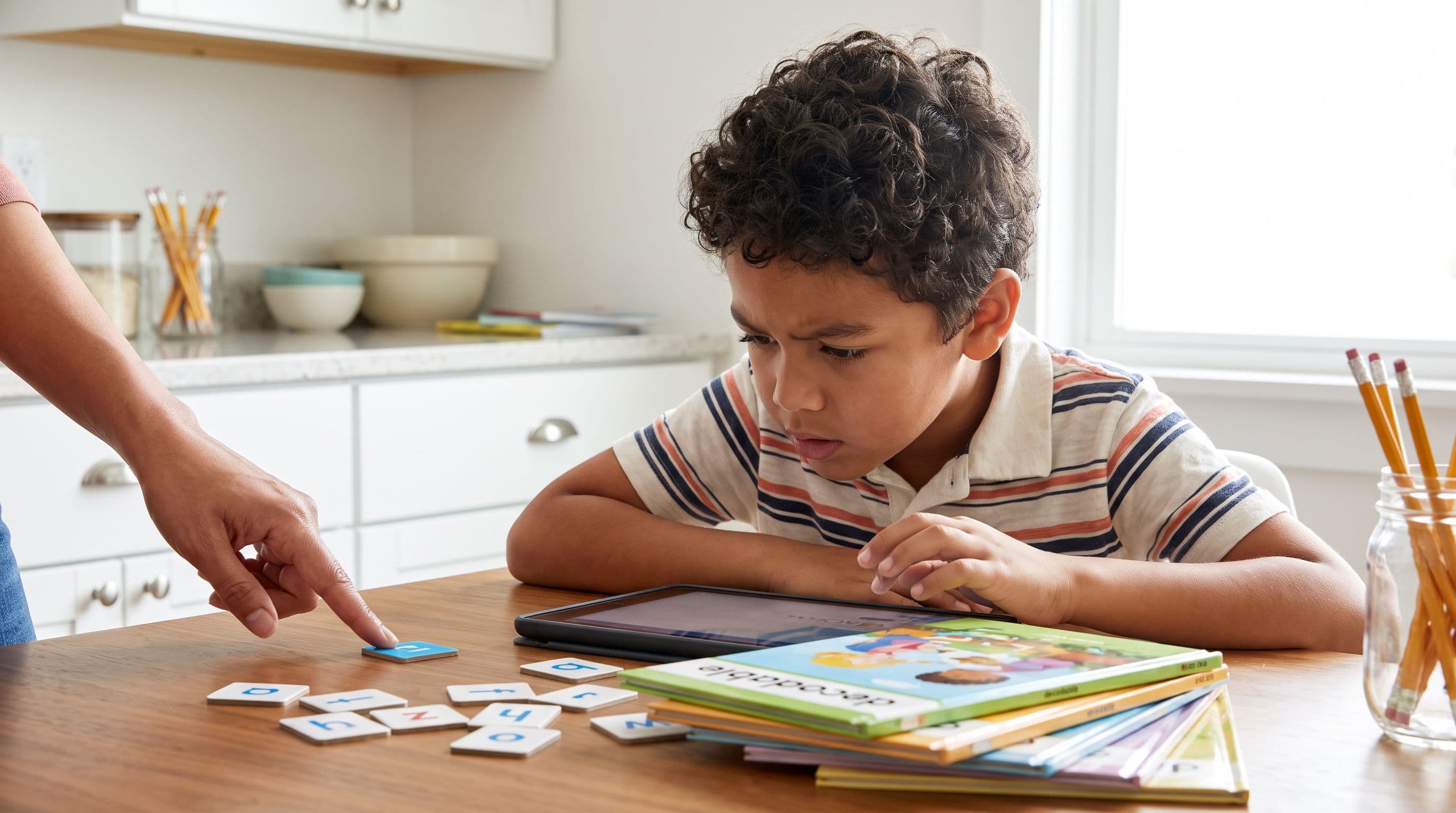
Here's what I do with Mei. The app is 15 minutes. That's it. Then we do 5 minutes of real-life practice: she sounds out words I write on a whiteboard, reads a decodable book, or plays a blending game with letter tiles at the kitchen table. The app builds the foundation. The hands-on practice cements it.
Mississippi figured this out at a state level. Their Literacy-Based Promotion Act of 2013 mandated evidence-based reading instruction — systematic phonics, coaching support, aligned curriculum, and retention policies working together. On the NAEP 4th-grade reading assessment, Mississippi climbed from near the bottom to the middle of the pack between 2013 and 2019. Systematic phonics was at the core of that turnaround, though it worked alongside teacher training, coaching, and accountability measures. The method was the same one I'm using with Mei. The same one my neighbor used when she ditched Lucy Calkins mid-year. The same one the best apps are built on.
Systematic synthetic phonics. It's not sexy. But it works.
How to Actually Use a Phonics App (The Tiger Mom Protocol)
Here's my step-by-step system for making any phonics app work. Even the free ones.
Step 1: Set the timer. 15 minutes max. Not 30. Not "until she gets bored." Fifteen minutes of focused phonics beats an hour of aimless tapping every single day of the week.
Step 2: Sit with them for the first two weeks. I know. I know. You wanted the app to babysit. I get it — I have a 1-year-old on my hip half the time. But for the first two weeks, sit with your kid and make sure they're sounding out, not guessing. After that, you can supervise from across the room.
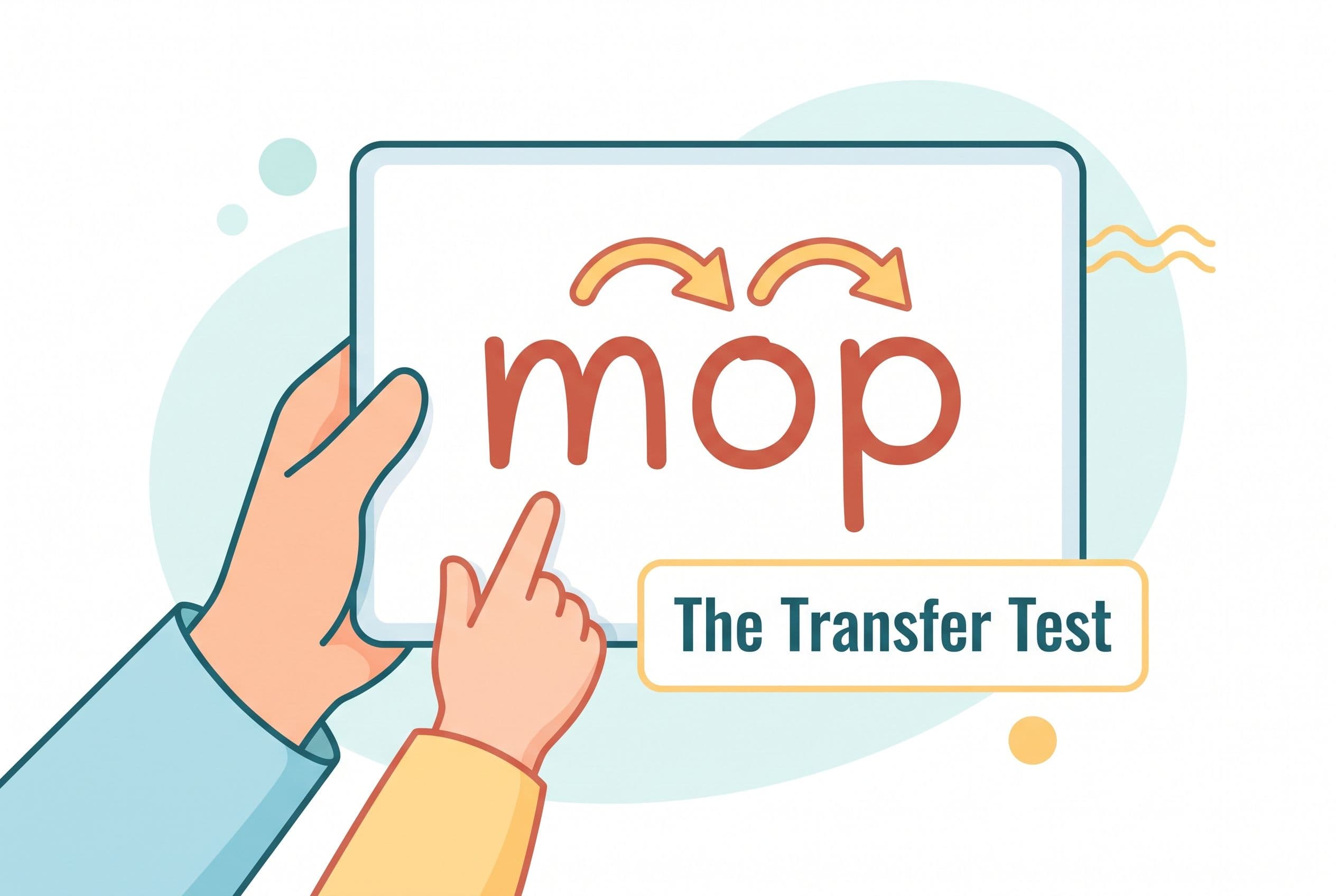
Step 3: Test the transfer. After each app session, write a word on paper using only the sounds the app has taught. Can your kid decode it without the app's interface, without pictures, without multiple-choice options? If yes — it's working. If no — the app is teaching app skills, not reading skills.
Step 4: Add decodable books. Supplement the app with physical decodable readers. Bob Books are the classic beginner set. Flyleaf Publishing makes excellent ones. High Noon Books for older kids who need simpler text. Your library might carry them — ask.
Step 5: Never skip. This is my Tiger Rule #1. We practice phonics on birthdays, Christmas morning, vacation, and sick days (unless there's a fever over 101). Fifteen minutes. Every day. Consistency beats intensity, and your kindergartner's brain is building neural pathways that require repetition to solidify.
Step 6: Benchmark quarterly. Use Kilpatrick's PAST test — the Phonological Awareness Screening Test. It takes about 5 minutes and tells you exactly where your kid's phonological processing stands. You can find the administration guide in his book Equipped for Reading Success. For a more specific benchmark, DIBELS 8 NWF-CLS (Nonsense Word Fluency — Correct Letter Sounds) targets around 28+ correct letter sounds per minute by mid-kindergarten. Check the official DIBELS 8 benchmark goals for your child's exact grade and time of year, since numbers shift by edition and assessment window. If you don't have access to DIBELS, here's a simpler gut check: if your kid can accurately decode 10-20 CVC words with no pictures and no hints, you're on track.
What About Kids Who Are Already Behind?
If your kindergartner is already struggling — can't identify letter sounds, can't blend at all, seems to be memorizing words visually instead of decoding them — an app alone might not be enough.
I'm not saying that to sell you something. I'm saying it because Linnea Ehri's phases of word reading development (from her 2005 meta-analysis) show that kids who get stuck in the "pre-alphabetic" phase — where they treat words as visual shapes rather than sequences of sounds — need more intensive intervention than an app typically provides.
Here's what to do:
- Start with the PAST test to identify exactly where the breakdown is.
- Use the app daily as your baseline systematic phonics instruction.
- Add 10 minutes of hands-on phonemic awareness work: Elkonin boxes (sound boxes), letter tiles, oral blending games. Reading Rockets has free activity guides.
- If you're not seeing progress in 8 weeks, talk to your pediatrician about a referral for a reading evaluation. The International Dyslexia Association estimates 15-20% of the population has dyslexia symptoms. Early identification changes everything.
- Consider a structured program like Barton Reading & Spelling or the Wilson Reading System if dyslexia is suspected. These are intensive Orton-Gillingham-based programs designed for exactly this situation.
Don't wait and see. Large-scale research from NICHD (Reid Lyon's work in particular) showed that the vast majority of early reading difficulties can be prevented or significantly reduced with early, intensive, systematic intervention. But "early" means kindergarten — not 3rd grade, when the school finally notices.
Frequently Asked Questions
What age should a child start using a phonics app?
Most kids are ready for structured phonics app work between ages 4 and 5. If your child can hold a crayon, recognize a few letters, and sit for 10-15 minutes with adult guidance, they're ready. I started my 4-year-old on Teach Your Kid to Read and she took to it immediately. That said, don't force it at 3 just because your neighbor's kid is doing it — readiness varies, and pushing a child who doesn't have the fine motor or attention skills yet just creates frustration.
Can a phonics app replace a reading tutor or school instruction?
A well-built phonics app can absolutely serve as your primary systematic phonics program for a typically developing kindergartner. I use Teach Your Kid to Read as Mei's core phonics curriculum and supplement with decodable books and whiteboard work. But if your child has a suspected learning difference like dyslexia, the app should be a supplement to — not a replacement for — one-on-one instruction from a trained reading specialist using an Orton-Gillingham-based program.
How much screen time should my kindergartner spend on a phonics app?
Fifteen minutes a day. That's it. I'm dead serious. The research supports short, focused, daily practice over marathon sessions. The American Academy of Pediatrics' guidelines for screen time are separate from educational app use, but even so — 15 minutes of systematic phonics beats 45 minutes of gamified tapping. Set a timer. When it dings, close the app and pick up a book.
How do I know if a phonics app is actually working?
Test transfer to the real world. After a week of app use, write 5 CVC words on paper using only the letter sounds the app has introduced. Don't show pictures. Don't give hints. Can your kid sound them out? If yes, the app is building real decoding skill. If your kid stares at you blankly or starts guessing random words, the app is teaching app navigation — not reading.
Are free phonics apps as good as paid ones?
Sometimes they're better. Teach Your Kid to Read is free and ranks above every paid app on this list. Khan Academy Kids is free and has solid (if disorganized) phonics content. Meanwhile, ABCmouse is a paid subscription (check its site for current pricing) and barely teaches phonics at all. Price is not a proxy for quality. Evaluate the methodology, not the price tag.
The Bottom Line
Your kindergartner's brain is ready to learn to read right now. Not "when they're ready." Not "when school gets to it." Now.
The 40+ states that have passed Science of Reading legislation since 2019 didn't do it because everything was fine. They did it because an entire generation of kids was taught to guess instead of read, and the data finally got too damning to ignore.
You don't have to wait for your school district to catch up. You don't have to spend hundreds on a tutor. You need a phonics app built on real reading science, 15 minutes of daily consistency, and the willingness to stop accepting "close enough" as reading.
Teach Your Kid to Read was built for exactly this moment. Systematic synthetic phonics. No guessing. No picture cues. No gamification that drowns out the learning. Just a kid, the sounds, and the words — the way reading is actually supposed to be taught.
Start today. Fifteen minutes. Your kindergartner's future is literally waiting on the other side of those letter sounds.
Part of these guides

Xia Brody
Co-Founder, Teach Your Kid to Read
Mom of 4 who has successfully taught her kids to read. Currently in the trenches with her 4-year-old while her two oldest (10 and 7) devour books on their own. Passionate about phonics-based methods and building a lifelong love of reading.
Related Articles
Reading Eggs vs ABCmouse for 5-Year-Olds: Best Pick
Choosing between Reading Eggs and ABCmouse? Here’s the no-fluff mom verdict on which app actually teaches a 5-year-old to read — and where both fall short.
Read More →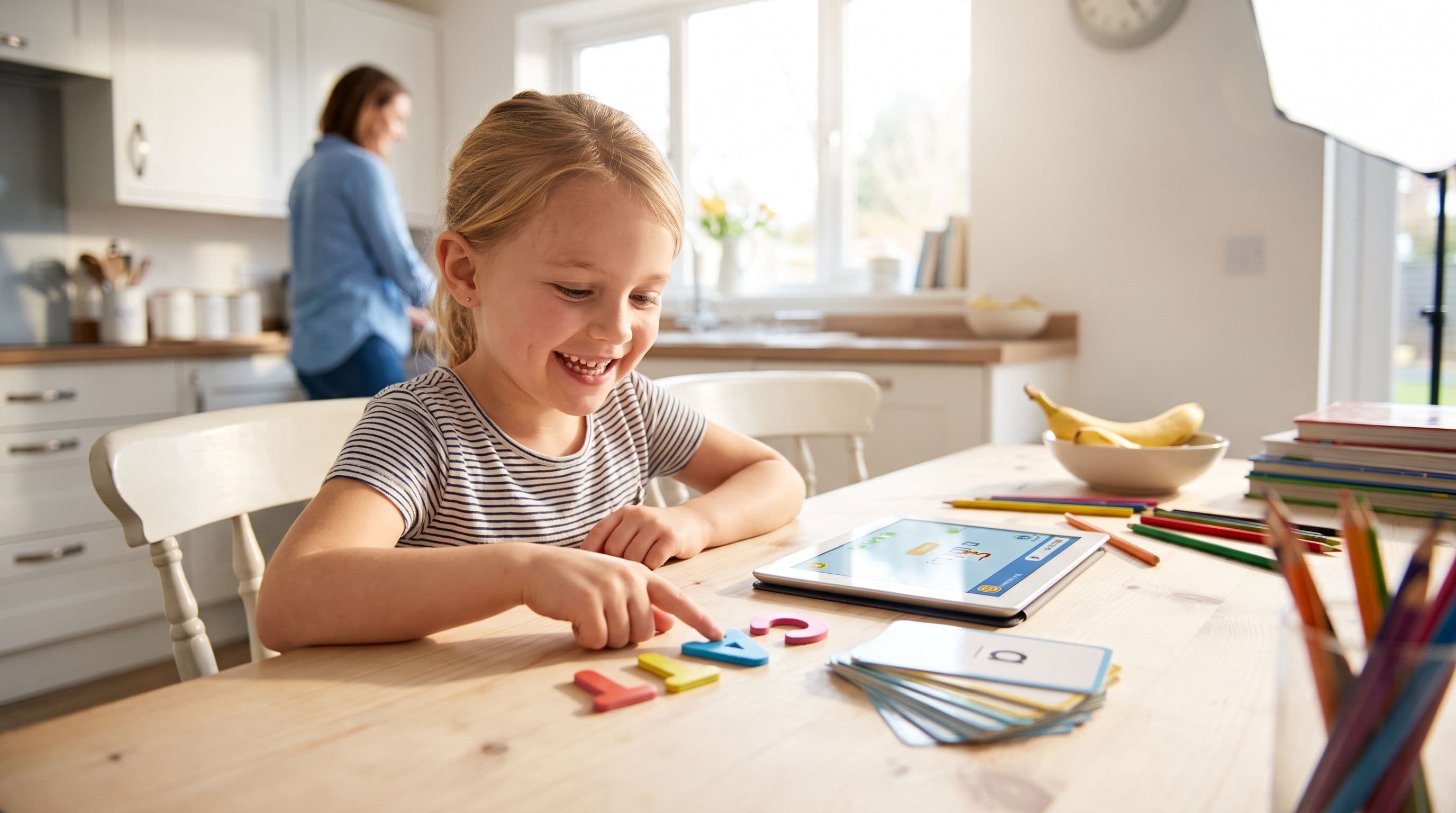
Reading Apps for 5-Year-Olds: 6 Skill-Level Picks
Most reading apps for 5-year-olds look cute. Too many teach guessing, tapping, and screen-zombie habits instead of real decoding. Here’s how I’d pick a phonics app by skill level if I were sitting at your kitchen table.
Read More →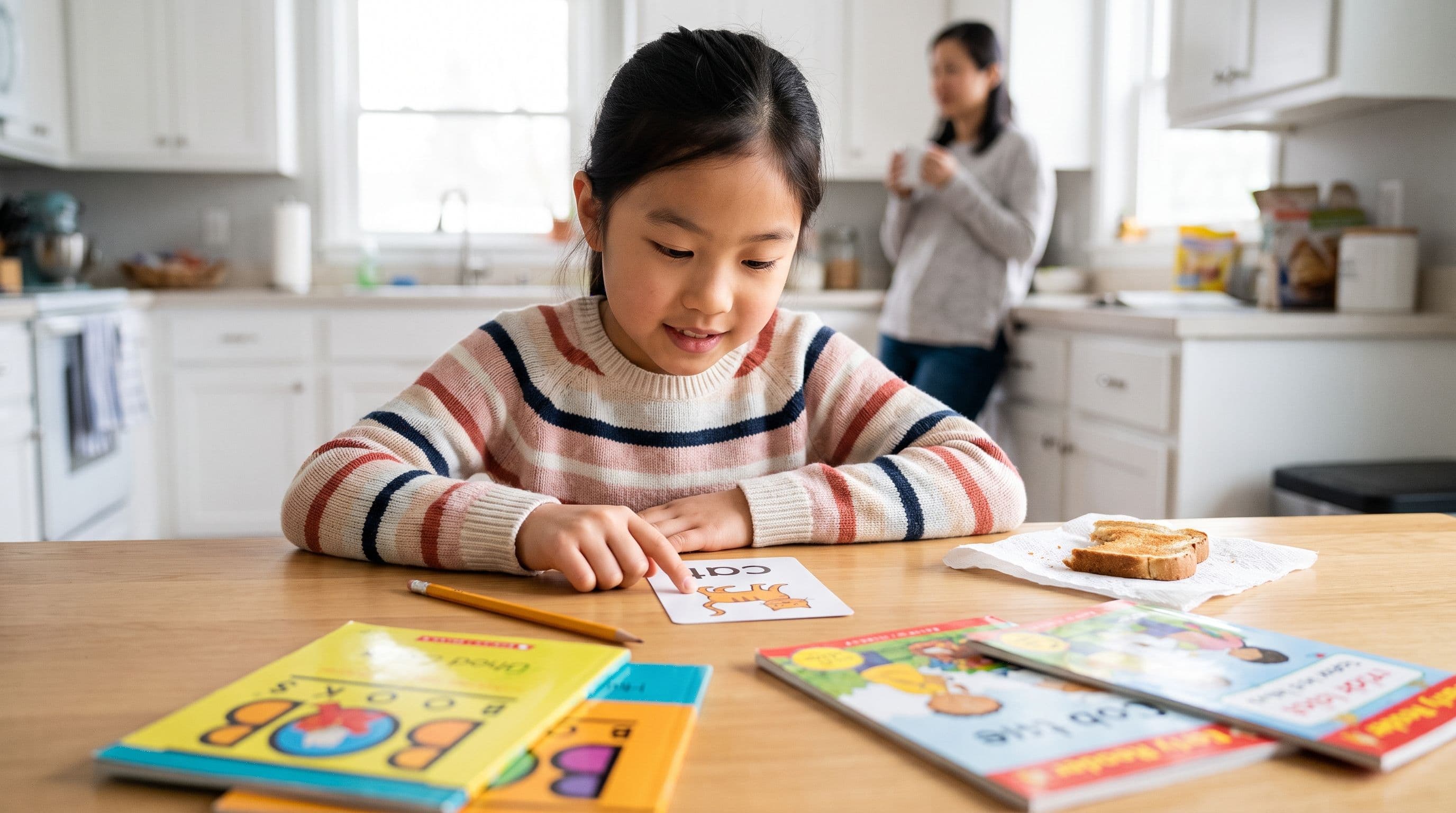
HOMER vs Reading Eggs for 6-Year-Olds: Best Fit?
Choosing between HOMER and Reading Eggs for a 6-year-old? Here’s the no-nonsense parent breakdown: which app teaches decoding, which one fits which child, and where Teach Your Kid to Read beats both for focused phonics.
Read More →