Best App for Kindergarten Sight Words: 2026 Top Picks
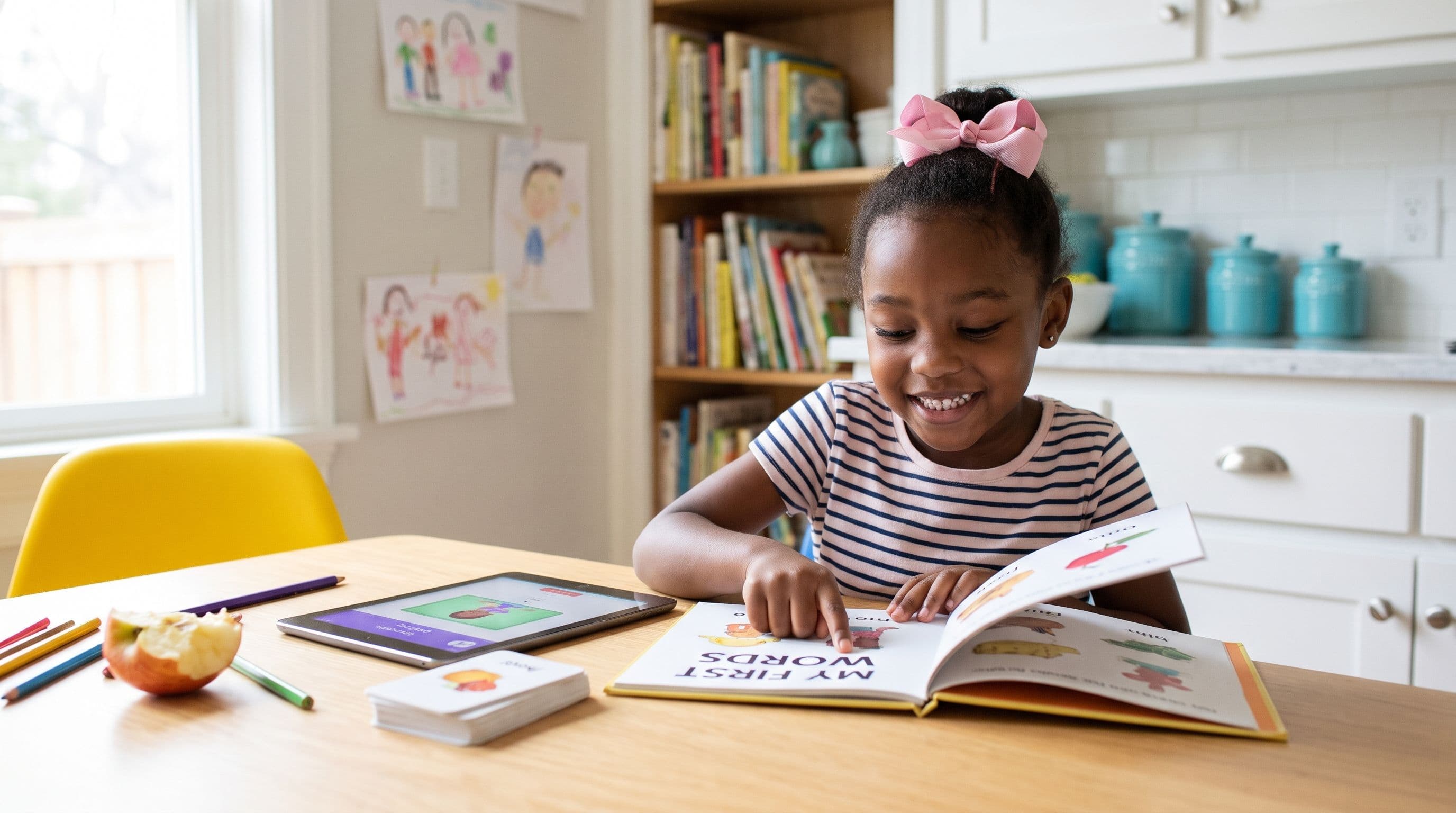
Reality Check: Your child taps “the,” collects a dancing cupcake and looks like a reading superstar. Then you write “the” on paper. Silence. Sound familiar? Screen success doesn’t automatically mean reading mastery.
I’m Xia Brody, co-founder of TeachYourKidToRead.org, a Chinese-American homeschooling mum of four, ages 10, 7, 4 and 1. I’ve taught my oldest two to read, and I’m back at the kitchen table with my four-year-old. My vote for the best app for kindergarten sight words goes to instruction that survives the moment you turn the screen off.
What You’ll Learn
- Which four apps deserve a look—and why my first pick comes with a founder disclosure.
- The difference between knowing a word and remembering a screen.
- What my daughter’s reading check caught that daily practice didn’t.
- How to pair an app with a tiny printable routine that exposes guessing.
For kindergarten (ages 5–6), sight words shouldn’t mean memorising hundreds of word shapes. A sight word is any word your child reads automatically and accurately, whether it’s “cat” or “said.”
Here’s the thing: phonics and sight words aren’t rival teams. Accurate decoding helps words become familiar. A kindergarten sight words app should support that process—not teach your child to hunt for picture clues.
The Verdict: Four Apps Worth Considering
These are editorial comparisons based on public product descriptions, not hands-on competitor testing. I co-founded Teach Your Kid to Read, so this isn’t an independent ranking. The other apps can suit different budgets and goals; none deserves a made-up flaw just because I sell something else.
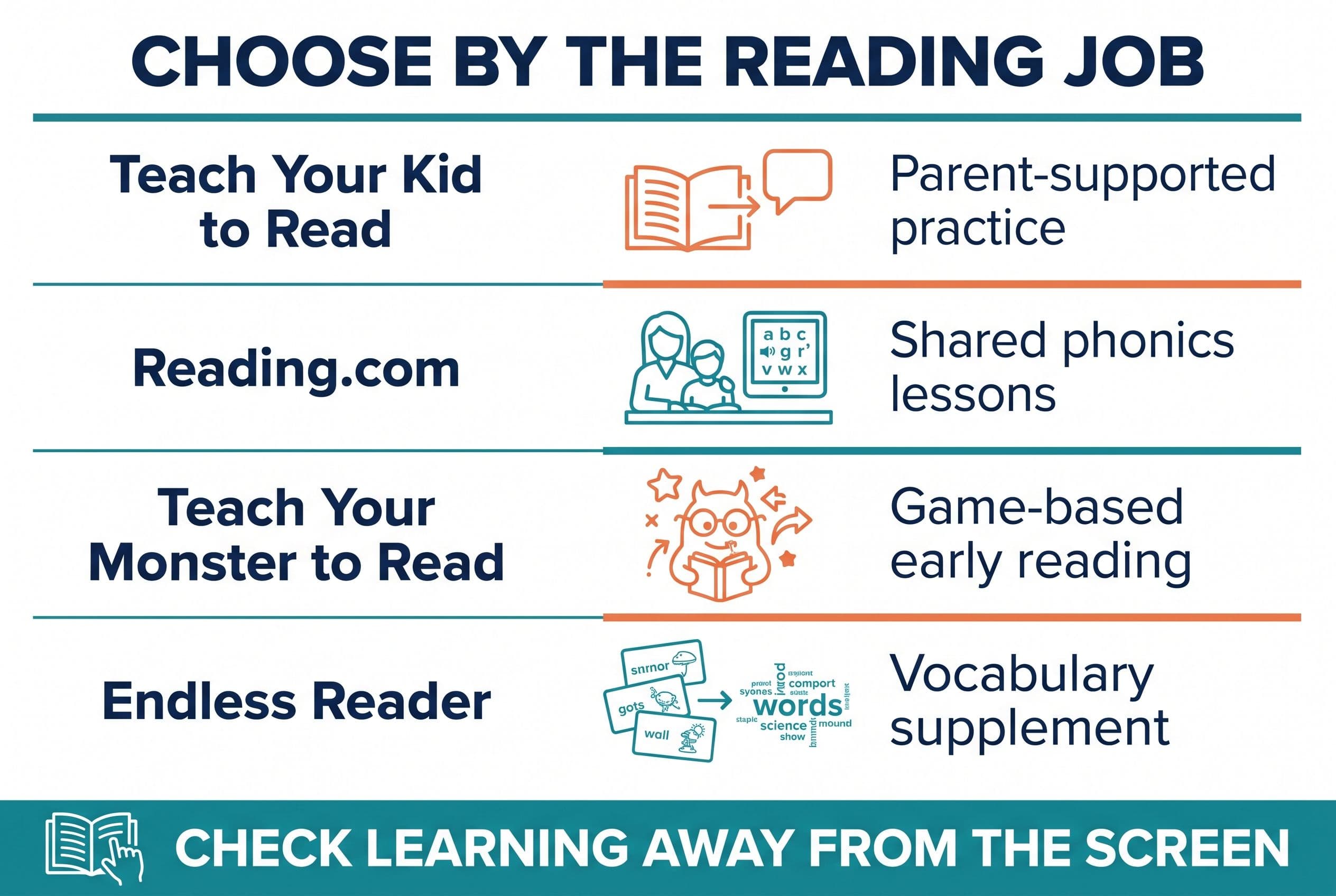
| Pick | What it teaches | Price model | Best-for age |
|---|---|---|---|
| 1. Teach Your Kid to Read | My pick for a parent-led phonics approach rather than isolated word memorisation | Lesson one is free, with no card and nothing to cancel; from lesson two, the whole program has a 7-day free trial, then US$9.95/month | My recommendation: 4–6, depending on skills |
| 2. Reading.com | Parent-child lessons combining phonics with reading practice | Monthly or yearly subscription; check current price | Stated ages 3–8; my recommendation here: 4–6 |
| 3. Teach Your Monster to Read | Game-based letter-sound, blending and early reading practice | Free on computers; one-time paid app; check current price | Stated ages 3–6 |
| 4. Endless Reader | Animated high-frequency vocabulary and sentence activities; not my choice for a complete phonics sequence | Free download with paid word packs; check current price | App Store category: Made for Ages 0–5; my recommendation here: 4–5 as a supplement |
I recommend Teach Your Kid to Read as my first option for parent-supported practice: start lesson one free. Lesson one is free with no card and nothing to cancel; from lesson two, the whole program has a 7-day free trial, then US$9.95 a month.
Bottom line: choose the best app to teach sight words by what your child learns, not how loudly the reward screen celebrates. Check regional availability and current competitor pricing before you subscribe.
Tiger Truth: Waiting Doesn’t Teach Reading
In the US, 40% of fourth-grade students (ages 9–10) scored below NAEP Basic in reading in 2024, according to The Nation’s Report Card. That’s a specific US assessment category—not a claim that 40% couldn’t read any words. It’s still a serious warning.
By third grade (ages 8–9), schoolwork increasingly asks children to learn through reading. Weak decoding makes instructions, stories and subject vocabulary harder. Avoidance can follow. Then adults mistake a struggling reader for an unmotivated child. This drives me crazy.
Don’t turn that warning into a prediction about your child. Older struggling readers can improve with effective instruction. But “let’s wait another year” isn’t instruction, and neither is another round of digital confetti.
The Deep Dive: What Each App Offers
1. Teach Your Kid to Read: My First Pick for Parent-Led Practice
My reason for putting our program first is the teaching priority: build reading skill, not a trophy case of memorised screens. I want parents connecting letters with sounds, helping children blend and checking whether learning carries over to paper.
That’s the standard I’d use for any kindergarten sight words app—including ours. Sit beside your child. Listen to the response. Afterwards, write one practice word on a scrap of paper and ask them to read it without hints.
The US National Reading Panel, in its 2000 report, found that systematic phonics instruction benefits early reading. That supports the instructional approach; it doesn’t prove that any particular app works. No-brainer distinction, but marketing often skips it.
Systematic synthetic phonics teaches letter-sound relationships in a planned sequence and teaches children to blend those sounds into words. Explicit teaching and cumulative review also appear in Orton-Gillingham approaches. However, an app doesn’t become an Orton-Gillingham intervention simply by including letter sounds.
My non-negotiable is No Guessing. Imagine a child sees “ship” beside a boat illustration and says “boat.” The meaning fits. The print doesn’t. I’d point back to “sh,” “i” and “p,” help blend the sounds and then discuss the picture.
Our other Tiger Rule is We Never Skip: keep a small, predictable practice habit on ordinary days, holidays included. That’s a family routine, not a command to drill a sick or overwhelmed child. Two calm minutes beat ten minutes of tears.
Who should look elsewhere? A family seeking a fully free program or specialist dyslexia intervention needs a different provision. An app can support teaching; it can’t diagnose a reading difficulty or replace individual specialist help.
2. Reading.com: A Strong Alternative for Shared Lessons
Reading.com describes parent-child lessons with phonics and reading practice. That makes it a genuine alternative, not a straw-man “guessing app.” Its stated ages span 3–8, though age alone doesn’t tell you where your child should begin.
The catch? You need to participate. For a parent wanting an independent sight word practice app while dinner cooks, that shared format may rule it out. For someone willing to sit alongside their child, adult involvement can be a strength.
Check the lesson sequence and subscription terms before buying. Ask whether your child will practise unfamiliar words as well as familiar high-frequency words. The best app for kindergarten sight words should build transferable reading, not just recognition of a fixed list.
3. Teach Your Monster to Read: The Budget-Friendly Game Option
Teach Your Monster to Read combines a game format with letter-sound and early reading practice. Its free computer version makes it a useful budget option; the mobile app uses a one-time purchase model. Check the current app-store price.
I don’t automatically reject games. Honestly, I like a cheerful monster as much as the next sleep-deprived parent. The question is whether your child attends to the print while playing.
What might rule it out as your main tool? If you need a tightly focused review of your child’s particular heart words, a broader reading game may not match that job. Pair it with a short paper check rather than assuming completed levels equal mastery.
4. Endless Reader: A Supplement, Not My Reading Foundation
Endless Reader presents high-frequency vocabulary through animated activities and sentences. That can make words memorable and invite conversation about meaning. Its pricing model starts with a free download and adds paid word packs.
Here’s the kicker: vocabulary engagement isn’t the same as systematic decoding instruction. I wouldn’t choose it as the sole foundation for a child who still struggles to blend simple words.
That limitation disqualifies it as my main teaching choice, not as every family’s supplement. If your child enjoys the animations, follow up with plain print. Can they read the same word without the characters helping? That’s the real check.
Heart Words: Teach the Sounds, Notice the Surprise
The best app for kindergarten sight words shouldn’t force you to choose between phonics and sight words. Linnea Ehri’s 2014 paper, “Orthographic Mapping in the Acquisition of Sight Word Reading, Spelling Memory, and Vocabulary Learning,” explains how readers connect spellings, pronunciations and meanings in memory.
That process isn’t photographic memorisation. Orthographic mapping depends on connecting the sounds in spoken words with their written forms.
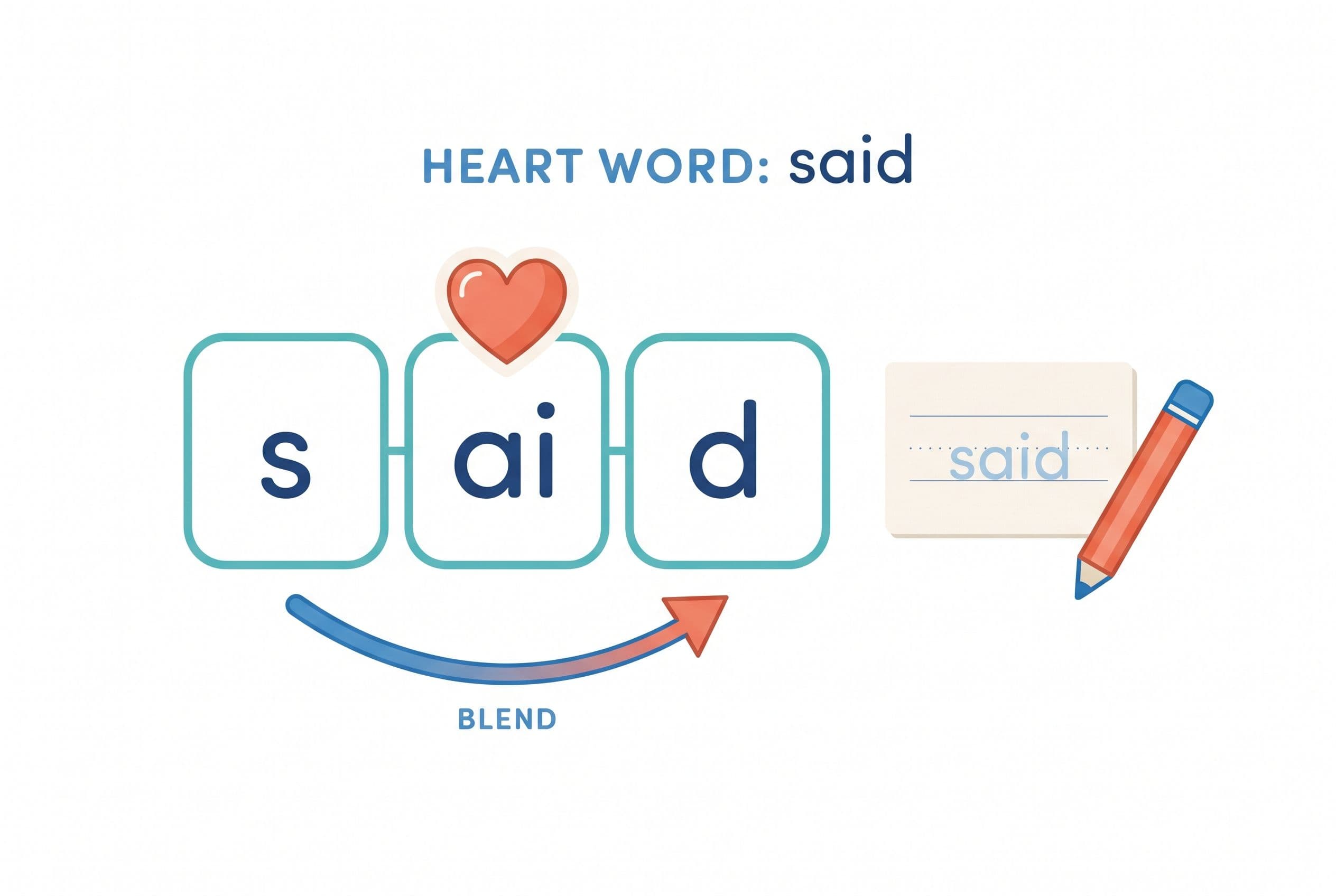
“Heart words” teaching makes this practical. Work through the sound-spelling relationships your child knows, then identify the unexpected part that needs extra attention. Some words also contain patterns your child simply hasn’t learnt yet.
Take “said”:
- Say it naturally and discuss its meaning.
- Stretch the three sounds: /s/ /e/ /d/ in many English accents.
- Connect “s” with /s/ and “d” with /d/.
- Mark “ai” as the unexpected spelling for the middle sound in this word.
- Read “said” again, then write it from memory.
Use your own accent; English pronunciation varies. And don’t turn every letter into a mystery. UFLI Foundations’ free online Toolbox includes resources for explicit word work, including irregular words. It’s a curriculum resource, not another app in this ranking.
The Home Check That Changed Our Practice
I DIBELS-tested all three of my reading-age kids at home using downloadable materials. On nonsense word fluency, Kai scored 58 correct letter sounds per minute. Lian scored 43. Mei scored 11. Eleven.
My stomach dropped.
I’d been watching the numbers 28 and 13 in my own tracking. I’m sharing those numbers only to illustrate my own tracking—not as cutoffs for your child. They aren’t universal DIBELS benchmarks or valid risk thresholds for my four-year-old. Editions, measures and testing windows differ, and an older child’s score doesn’t belong against a kindergarten benchmark. My four-year-old’s result couldn’t establish a formal risk category either.
Still, Mei’s difficulty sounding out unfamiliar letter combinations showed me something familiar-word practice had hidden. So I changed her routine: instead of ten minutes once a day, we did five minutes three times a day—morning, after lunch and before dinner.
Eight weeks later, she reached 31 correct letter sounds per minute. I could see progress in my home tracking, not proof that she’d passed an age-appropriate screening benchmark. That was her outcome, not an eight-week promise for your child. Home administration also carries limitations; proper screening needs the correct materials and procedures.
The takeaway? Measure the actual skill. A sight word practice app might show impressive progress while unfamiliar words still stop your child cold. Use age-appropriate screening guidance and ask a teacher or reading specialist to interpret concerns.
My solution: the app teaches, paper checks. I use parent-supported phonics practice—not a digital babysitter—then listen to what my child can read away from the screen. Here’s how I’d put that into action.
Your Action Plan: App, Paper, Repeat
If you’re unsure where to begin, take the 2-minute reading check. Treat that short check as a starting conversation, not a diagnostic assessment. Then keep the routine small enough to repeat. No marathon required.
- Check three familiar words on paper. Choose words your child has already encountered. Note independent reading, sounding out and guessing separately.
- Check the foundation. Can your child say the relevant letter sounds and blend a simple word such as “map”? If not, prioritise those skills alongside a few useful high-frequency words.
- Choose one app and one short session. Start with five attentive minutes. Stay close enough to hear errors rather than tracking taps alone.
- Teach one heart word explicitly. Say it, connect sounds to spellings and identify the unexpected part. Don’t introduce ten new words because the list looks satisfyingly ambitious.
- Move to paper. Read two or three practice words in a different order, then use one in a short sentence with otherwise familiar spellings.
- Review and respond. Revisit the words the next day. If difficulties persist or concern you now, ask for a reading assessment rather than waiting for another subscription cycle.
Need a starter list? I’d pick from these ten high-frequency words—not serve all ten for breakfast:
- Fully decodable now, if your child knows the letter sounds and can blend them: at, in, it, on, can. I’d use their clear spoken forms for this practice.
- Heart words to teach with extra attention to unexpected or not-yet-taught spellings: said, the, was, to, of. I’d work through the sounds in our own accent and mark only the parts that need attention—not ask my child to memorise five word shapes.
For the app portion, lesson one of Teach Your Kid to Read is free with no card and nothing to cancel; from lesson two, the whole program has a 7-day free trial, then US$9.95 a month.
A Kindergarten Sight Words Printable You Can Copy
Print or copy this tiny record. It’s a practice sheet, not a standardised test. Use just one or two new words at a time; bottom line, the goal is mastery rather than a full page.
| Word | Sound-spelling check | Read today | Read tomorrow |
|---|---|---|---|
| map | m–a–p; regular once these sounds are familiar | □ | □ |
| can | c–a–n; regular in its clear spoken form | □ | □ |
| said | s–ai–d; notice the unexpected “ai” | □ | □ |
| the | th–e; discuss its pronunciation in speech | □ | □ |
Mark a box when your child reads accurately without your prompt. Sounding out is legitimate reading; automatic recognition develops through accurate practice. Don’t punish the very strategy you’re teaching.
Choose Skill Over Screen Sparkle
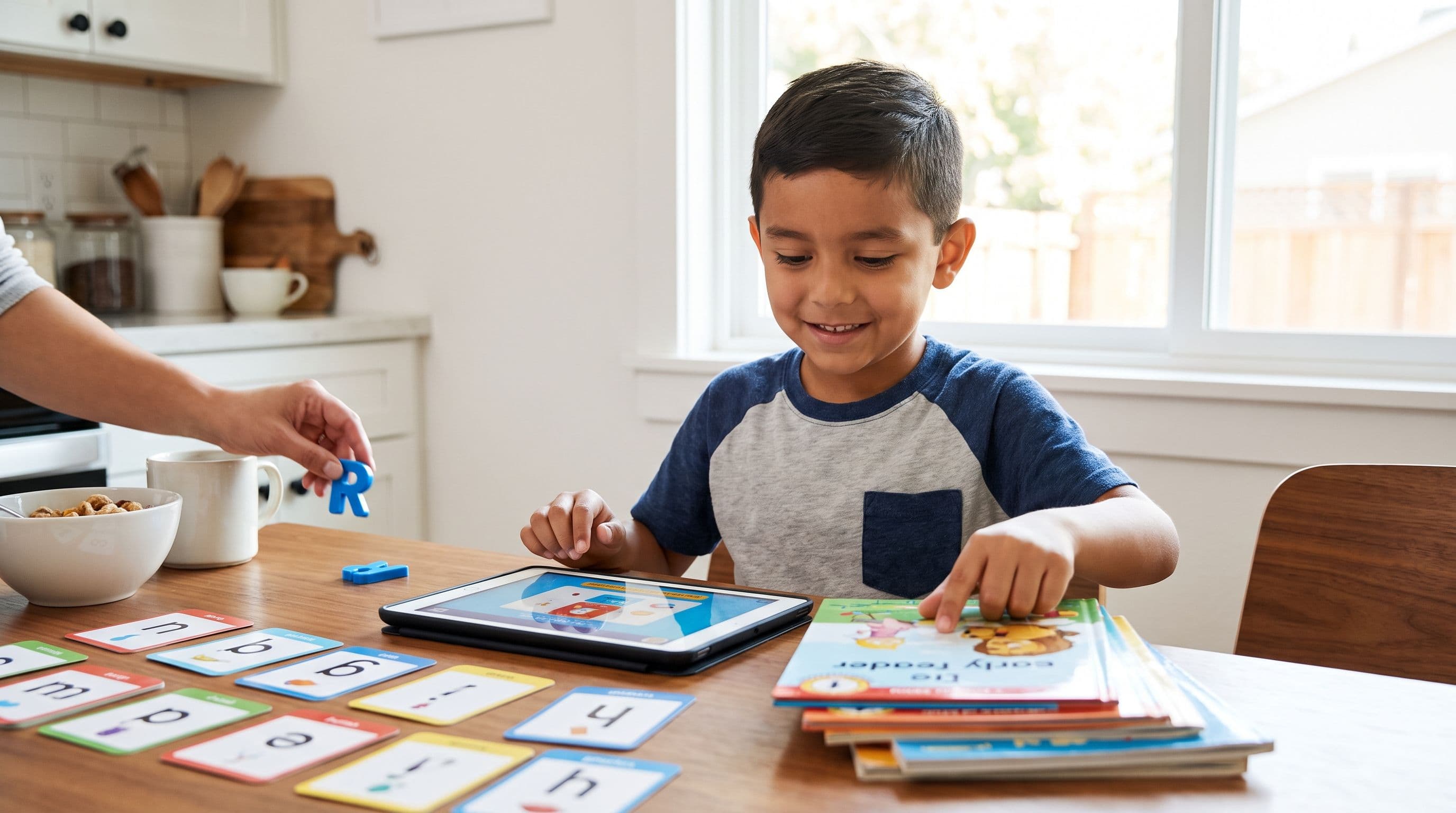
My answer to “What’s the best app for kindergarten sight words?” starts with a test: does your child read the word away from the app? Independence is the prize. The dancing cupcake can remain a supporting actor.
If our approach fits your family, try lesson one of Teach Your Kid to Read free with no card and nothing to cancel; from lesson two, the whole program has a 7-day free trial, then US$9.95 a month.
FAQ
What’s the best app for kindergarten sight words?
My founder’s pick is Teach Your Kid to Read for parent-supported practice. Reading.com offers shared lessons, Teach Your Monster to Read offers a free computer option and Endless Reader suits supplementary vocabulary work. Choose according to your child’s skills, not age alone.
Should children memorise sight words or sound them out?
Teach the sound-spelling relationships first and identify unexpected parts in irregular words. Accurate practice helps words become automatic. Don’t ask children to memorise every word as a separate visual shape.
Is there a free kindergarten sight words app?
Teach Your Monster to Read is free on computers, though its mobile app uses a paid purchase model. Endless Reader offers a free download with paid word packs. Check what each version includes before relying on it for daily instruction.
How long should sight word practice last?
Start with about five focused minutes and adjust to your child’s attention and needs. Short sessions can work well, but no particular schedule guarantees progress. Include reading aloud together outside the drill.
When should I ask for reading help?
Ask when your child persistently struggles with letter sounds, blending or remembering taught words—or whenever you’re concerned. A teacher or reading specialist can assess specific skills and recommend support. You don’t need to wait for a child to fall far behind.
From teachyourkidtoread.org/blog/best-app-for-kindergarten-sight-words-2026-top-picks
Part of these guides

Xia Brody
Co-Founder, Teach Your Kid to Read
Mom of 4 who has successfully taught her kids to read. Currently in the trenches with her 4-year-old while her two oldest (10 and 7) devour books on their own. Passionate about phonics-based methods and building a lifelong love of reading.
Related Articles
Best App to Teach Sight Words: 2026 Age Picks
Looking for the best app to teach sight words? Here’s my no-nonsense 2026 ranking by age, with phonics-first picks, guessing-method red flags, and the exact action plan I’d use with my own kids.
Read More →
Best Reading App for CVC Words: 6 Picks for 2026
Looking for the best reading app for CVC words in 2026? Here’s my no-nonsense parent comparison of 6 apps, what they teach, what they miss, and which one I’d use first.
Read More →
Best Reading App for a 1st Grader Who Guesses Words
If your 1st grader guesses words from pictures, that’s not reading — that’s coping. Here’s the no-nonsense app comparison I’d use with my own kids.
Read More →