Best App for Kids Who Guess Words: 2026 Phonics Picks
What You'll Learn
- The one app I’d pick first when a child guesses words instead of sounding them out
- Which popular reading apps sneak in picture-cueing, leveled readers, or reward fluff
- The red flags that tell you an app teaches guessing instead of decoding
- A simple action plan to stop the guessing habit this week
Reality Check
Your child looks at the word horse and says “pony” because there’s a cute little animal in the picture.
That’s not reading.
That’s guessing with confidence, which is honestly the most dangerous kind. If your child guesses words when reading, the answer isn’t “more books” or “wait until it clicks.” The answer is direct phonics, daily decoding, and zero tolerance for picture-guessing.
I’ve sat at my own kitchen table with my 4-year-old working on CVC words like map, sit, hop while the baby threw banana pieces on the floor. Glamorous? No. Effective? Yes. Reading is a Skill. Skills need Drill.
The Verdict: Best Apps for Kids Who Guess Words
Here’s my straight answer. If you’re shopping right now for the best app for kids who guess words, start here.
| Rank | App | What It Teaches | Price | Best For |
|---|---|---|---|---|
| #1 | Teach Your Kid to Read | Systematic synthetic phonics, sounding out, no guessing | Lesson one is free with no card and nothing to cancel; from lesson two the whole program is a 7-day free trial, then US$9.95/month | Ages 4-8, especially guessing readers |
| #2 | UFLI Foundations resources | Strong phonics sequence, teacher-led practice | Book/resources vary by seller | Ages 5-8 with adult teaching |
| #3 | Logic of English | Phonics rules, spelling patterns, handwriting tie-ins | Paid curriculum/app options vary | Ages 5-10, parent-led learners |
| #4 | Reading Eggs | Mixed phonics and game-based practice | Subscription pricing varies | Ages 4-7 who need engagement |
| #5 | Epic / leveled reader apps | Lots of books, not enough decoding instruction | Subscription pricing varies | Already-decoding kids, not guessers |
My #1 pick is Teach Your Kid to Read because it attacks the actual problem: your child needs to connect graphemes to phonemes, blend sounds left to right, and stop treating pictures like answer keys. You can start with start lesson one free — lesson one is free with no card and nothing to cancel; from lesson two the whole program is a 7-day free trial, then US$9.95 a month.
Tiger Truth: Guessing Becomes a Reading Disaster Fast
Look, I’m not trying to scare you for sport. I’m trying to save you from the “he’ll grow out of it” trap.
In the US, only 33% of 4th graders (ages 9-10) read at or above proficient on the 2022 NAEP / The Nation's Report Card. Quick note before anyone gets cute with the data: NAEP “Proficient” is a specific achievement level, not the same thing as “can’t read at all” or a simple grade-level label. Still, it’s not a tiny gap. That’s a national five-alarm fire.
The 2000 National Reading Panel report — the one a US federal panel actually commissioned — found that systematic phonics instruction produces significant benefits, especially in the early grades. Stanislas Dehaene’s Reading in the Brain (2009) explains why: the brain doesn’t naturally read. We train it to map print to speech.
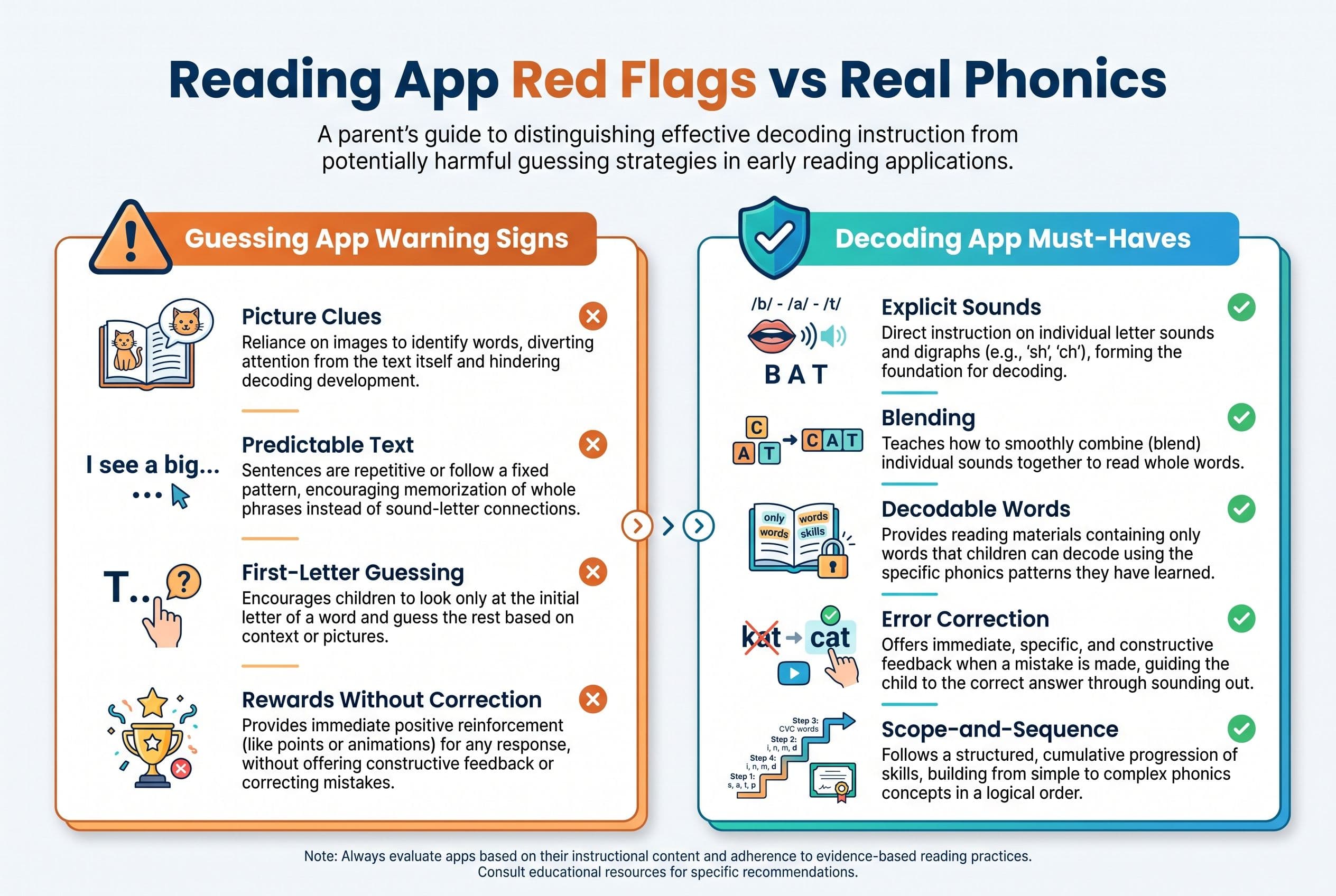
So when a child guesses pony for horse, or home for house, they’re not building orthographic mapping. They’re building a bad habit.
And bad habits are sticky little monsters.
Deep Dive: The Best App for Kids Who Guess Words
#1 Teach Your Kid to Read: Best Overall Phonics App for Guessing Readers
Teach Your Kid to Read wins because it doesn’t reward the behavior I’m trying to kill: guessing.
A good phonics app for guessing readers must do four things:
- Teach letter-sound correspondences explicitly
- Make the child blend sounds from left to right
- Use decodable words, not random leveled text
- Correct errors immediately instead of letting the child slide by
That’s the real deal.
A lot of apps look cute. They sparkle. They cheer. They hand out cartoon gems like your child just won the Olympics for tapping a screen. Meanwhile, your kid still can’t decode ship without looking at the picture. No thank you.
Teach Your Kid to Read focuses on systematic synthetic phonics. That means children learn the code in an organized sequence, then apply it to actual words. No “look at the picture.” No “what would make sense?” No MSV three-cueing nonsense.
If the word is sat, your child says /s/ /ă/ /t/, blends it, and reads sat.
That’s reading.
It lines up with Orton-Gillingham principles: explicit, sequential, multisensory, and mastery-based. I like that because struggling readers don’t need mystery. They need clarity. The Wilson Reading System uses a structured 12-step sequence for older or dyslexia-risk learners; Teach Your Kid to Read takes that same no-nonsense spirit and puts it into parent-friendly daily lessons.
And yes, you still need to sit with your child. Apps don’t replace parenting. Apps guide the Drill so you don’t wing it while reheating chicken nuggets.
Best fit:
- Kids ages 4-8
- Children who guess from pictures
- Early readers stuck on CVC words
- Parents who want a reading app for decoding, not digital babysitting
- Homeschooling families who want a daily routine
Watch for this win: your child starts pointing under each grapheme and blending instead of blurting the first word that pops into their adorable, chaotic little brain.
Bottom line: if you want the best app to teach sounding out words, this is the one I’d start with.
#2 UFLI Foundations: Excellent, But It’s More Curriculum Than App
UFLI Foundations is excellent. I mean that.
It comes out of the University of Florida Literacy Institute and gives teachers and parents a clear scope and sequence for phonics, blending, spelling, and connected text. If you want a serious reading app for decoding, UFLI itself isn’t exactly “tap and go,” but its resources pair beautifully with daily instruction.
Here’s where I saw the power of it up close.
After Emily Hanford’s APM Reports / “Sold a Story” started coming out in 2022 — my neighbor listened in 2023 — she called me almost in tears. She’s a first-grade teacher with 18 years in the classroom. She’d used Lucy Calkins’ Units of Study curriculum her whole career. Three-cueing, MSV, the whole thing. She told me, “I’ve been teaching kids to guess for two decades and I didn’t even know it.”
She switched her classroom to UFLI Foundations mid-year. It was messy. She had to relearn everything first, which is humbling when you’ve taught for nearly twenty years. But by spring, her students’ DIBELS nonsense word fluency scores had jumped an average of 15 points. She said it was the first time in her career that every kid in her class could decode CVC words by February.
That story still gives me chills.
UFLI is best if you, the adult, can teach. It’s hands-on. It asks you to say the sounds, correct the errors, and run the practice. For some parents, that’s perfect. For others, it feels like assembling IKEA furniture with 47 tiny screws and one missing page.
Best fit:
- Parents who like teacher manuals
- Homeschoolers who want full control
- Kids ages 5-8 who need a strong phonics sequence
- Teachers shifting away from Balanced Literacy
The disqualifier for app shoppers: it’s not the easiest standalone app experience. You’ll need to do more of the teaching yourself.
#3 Logic of English: Strong Phonics Rules, More Parent Work
Logic of English teaches phonics rules clearly, and I respect that. It doesn’t pretend English is random chaos. English has patterns. Kids need those patterns explained.
This program teaches spelling rules, phonograms, handwriting, and reading together. That can work beautifully, especially for kids who ask “why” 600 times before breakfast.
The kicker is that it can feel heavy for a parent who just wants a simple daily app. If your child guesses words when reading and you need something you can start tonight, Logic of English may feel like a bigger project.
Best fit:
- Ages 5-10
- Parents who enjoy teaching phonics rules
- Kids who benefit from spelling plus reading instruction
- Homeschool families who want a full program
The possible disqualifier: it demands adult time, prep, and consistency. No-brainer if you love curriculum. Less ideal if you need app-led lessons.
#4 Reading Eggs: Fun, But Watch the Instruction
Reading Eggs has fans. I get why. It’s colorful, engaging, and kids often like it.
But here’s my tiger mom warning: fun can become a trap.
If an app rewards tapping, speed, or game progress more than accurate decoding, your child may stay busy without building Mastery. A child who already has decent phonemic awareness might do fine. A child who guesses? I’d supervise closely.
Ask this every time your child uses it:
- Did my child sound out the word?
- Did the app require decoding?
- Did pictures give away the answer?
- Did my child read left to right?
- Did the lesson match a clear phonics sequence?
If the answer is “uhhh, maybe?” then keep your guard up.
Best fit:
- Ages 4-7
- Kids who need motivation
- Families using it as extra practice, not the main phonics plan
The disqualifier: rewards can hide weak decoding. Don’t let confetti fool you.
#5 Epic and Leveled Reader Apps: Fine for Readers, Risky for Guessers
Epic and similar digital book libraries can be great for kids who already decode. A fluent 10-year-old can browse books independently, and I love that kind of Independence.
But for a guessing reader? Be careful.
Leveled readers often rely on predictable text, pictures, and repeated sentence patterns. That’s why Fountas & Pinnell levels spread everywhere under Balanced Literacy. The child sees a picture of a dog and reads, “I see the dog.” Next page, picture of a cat: “I see the cat.” Parents think, “Yay! Reading!”
Nope. Often, that’s memorizing a pattern and swapping picture labels.
If your child can’t decode dog outside that book, they didn’t read it. They performed it.
Best fit:
- Kids who already decode CVC words and common phonics patterns
- Family read-aloud time
- Building background knowledge and vocabulary
The disqualifier: these apps don’t usually teach decoding systematically. They give access to books, which isn’t the same as teaching a child to read.
How to Tell If an App Teaches Reading or Guessing
Use this as your parent filter. Seriously, screenshot it in your brain.
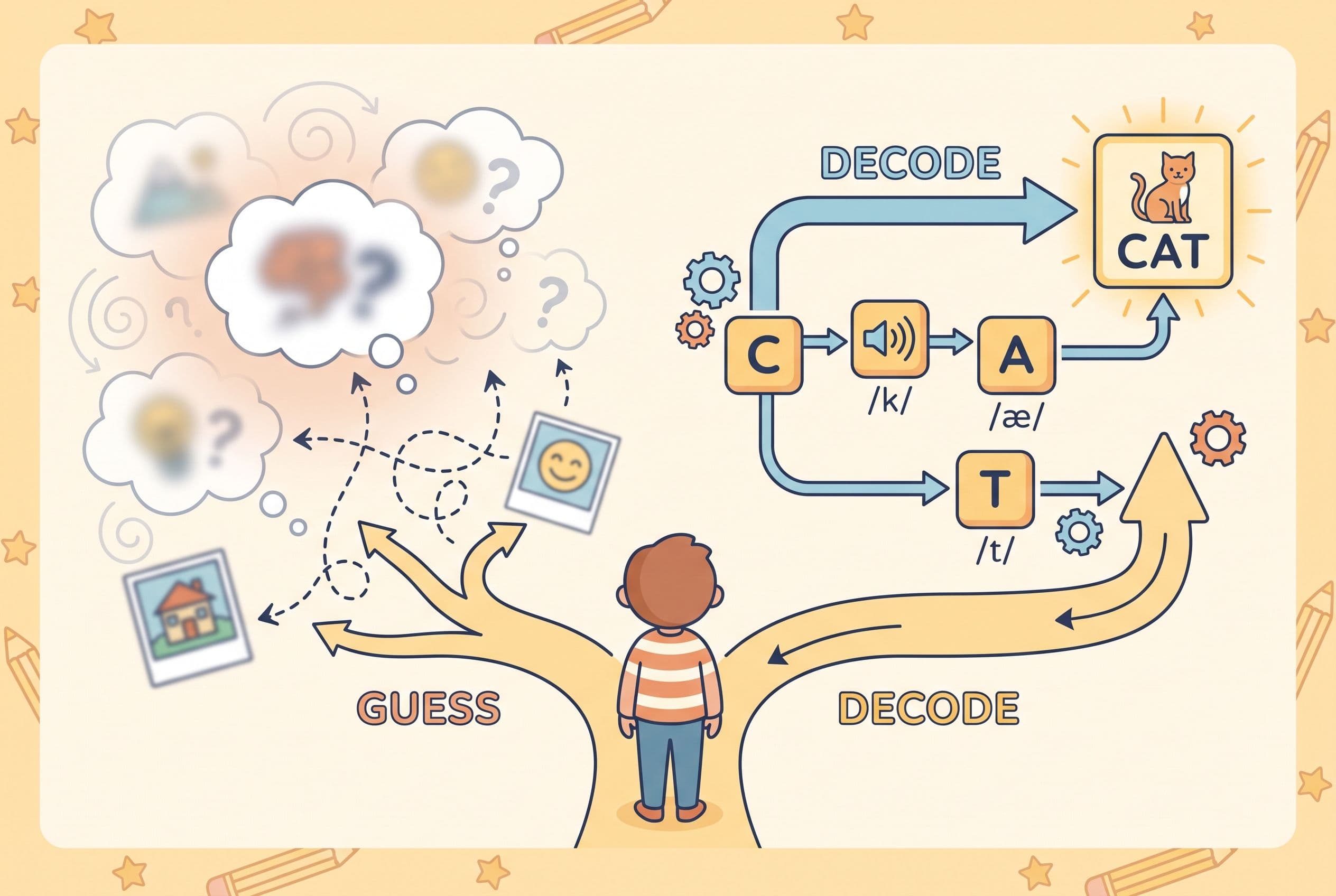
A real phonics app should include:
-
Explicit sound instruction
The app teaches /m/, /s/, /ă/, not just letter names. -
Blending practice
Your child must say /m/ /ă/ /t/ and blend mat. -
Decodable words
The words match the phonics your child has learned. -
Error correction
The app stops sloppy guessing instead of rewarding it. -
Minimal picture clues during decoding
Pictures can support meaning after reading, but they shouldn’t give away the word. -
A clear scope and sequence
Random word games don’t build the Foundation.
Run from apps that say things like:
- “Use the picture to figure it out.”
- “Skip the word and come back.”
- “What word would make sense?”
- “Look at the first letter and guess.”
That’s three-cueing in a sparkly costume. Hard pass.
The Action Step: Stop Guessing This Week
Here’s what I’d do if your child guesses words when reading.
-
Test the problem first.
Use take the 2-minute reading check or ask your child to read 10 simple CVC words with no pictures: cat, map, sit, hop, rug, pen, fan, bed, cup, log. -
Check phonemic awareness.
Can your child hear that cat has /k/ /ă/ /t/? David Kilpatrick’s PAST test checks phonological-awareness skills when it’s given and scored the right way. It’s not a full reading diagnosis, so pair it with checks of letter-sound knowledge and actual decoding. If your child keeps struggling, get a qualified assessment. Mama Tiger is bossy, not a school psychologist. -
Pick one phonics path.
Choose Teach Your Kid to Read, UFLI Foundations, Logic of English, or another systematic phonics program. Don’t app-hop every three days like a frantic squirrel. -
Ban guessing language.
Replace “look at the picture” with “sound it out.” In our house, the rule is simple: No Guessing. We read the code. -
Drill 10 minutes daily.
Short. Focused. Non-negotiable. Birthdays count. Vacation counts. Yes, Christmas counts. We Never Skip. -
Use nonsense words once a week.
Try mip, lat, fep, sog. Nonsense words help show whether your child can apply the sound-spelling patterns they’ve been taught. If they crash and burn, don’t just slap the “guessing” label on it and move on. Check the basics: Do they know the sounds? Can they blend? Are they dropping the ending? That’s where the fix starts. -
Track a benchmark.
DIBELS nonsense word fluency can give helpful data, but don’t grab one random number from the internet and panic. Benchmarks vary by DIBELS edition, measure, grade, testing window, and district goals. Compare your child’s score to the official benchmark table your school or testing tool uses, and use it to track growth — not to label your child forever. We’re measuring progress, not handing out doom stickers. -
Add decodable books only.
Bob Books, Flyleaf Publishing, High Noon Books, and controlled readers work better than predictable leveled books for a child who guesses.
If you want a guided place to start, use Teach Your Kid to Read: lesson one is free with no card and nothing to cancel; from lesson two the whole program is a 7-day free trial, then US$9.95 a month.
My Final Pick
The best app for kids who guess words is Teach Your Kid to Read because it teaches the exact Skill your child is missing: decoding.
Not vibes. Not guessing. Not “read the room and hope.”
Sound by sound. Word by word. Mastery by Mastery.
If your child already decodes, book apps can help build fluency and love of reading. If your child guesses, don’t hand them more leveled books and hope the problem fixes itself. Give them systematic phonics.
That’s the bottom line.
Start with one lesson, watch how your child attacks a word, and listen for the shift from guessing to sounding out.
FAQ
What is the best app for kids who guess words?
The best app for kids who guess words is one that teaches systematic phonics, blending, and decoding without using pictures as clues. My top pick is Teach Your Kid to Read because it targets sounding out directly and doesn’t reward guessing.
Why does my child guess words when reading?
Your child may guess because they learned to use pictures, context, or the first letter instead of decoding the full word. This often happens with leveled readers, predictable text, or Balanced Literacy routines like three-cueing.
Is guessing words a normal stage of reading?
A little early guessing can happen, but it shouldn’t become the strategy. If your child repeatedly says words that match the picture but not the print, stop and reteach decoding.
What should I say when my child guesses a word?
Say, “Point to the first sound. Sound it out.” Keep your voice calm, but don’t accept the guess. The goal is accuracy first, speed later.
Are phonics apps enough to teach reading?
A good phonics app can guide daily practice, but your child still needs an adult listening, correcting, and celebrating real decoding. Ten focused minutes with a parent beats 45 minutes of unsupervised screen tapping.
Part of these guides

Xia Brody
Co-Founder, Teach Your Kid to Read
Mom of 4 who has successfully taught her kids to read. Currently in the trenches with her 4-year-old while her two oldest (10 and 7) devour books on their own. Passionate about phonics-based methods and building a lifelong love of reading.
Related Articles
Best App for a 6-Year-Old Who Guesses Words: 5 Picks
If your 6-year-old guesses words from pictures, they don't need more leveled books. They need systematic phonics, daily decoding practice, and a parent who stops the guessing cold.
Read More →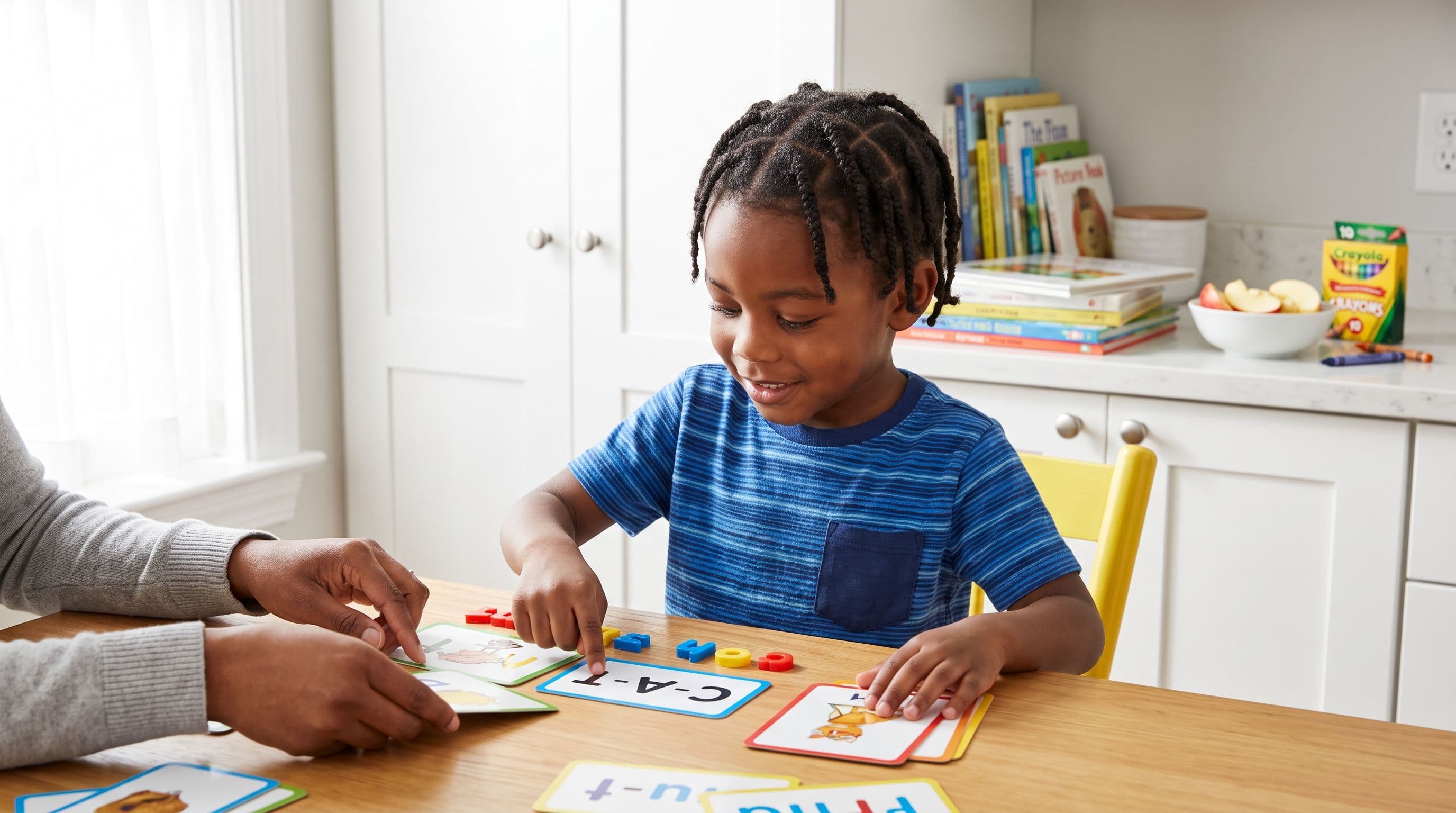
Best Reading App for a 1st Grader Who Guesses Words
If your 1st grader guesses words from pictures, that’s not reading — that’s coping. Here’s the no-nonsense app comparison I’d use with my own kids.
Read More →
Best Reading App for CVC Words: 6 Picks for 2026
Looking for the best reading app for CVC words in 2026? Here’s my no-nonsense parent comparison of 6 apps, what they teach, what they miss, and which one I’d use first.
Read More →